
Lehigh Valley unified security connects compatible cameras, access control, alarms, and intercoms around a clear operating purpose.

Request a Lehigh Valley Unified Security Assessment
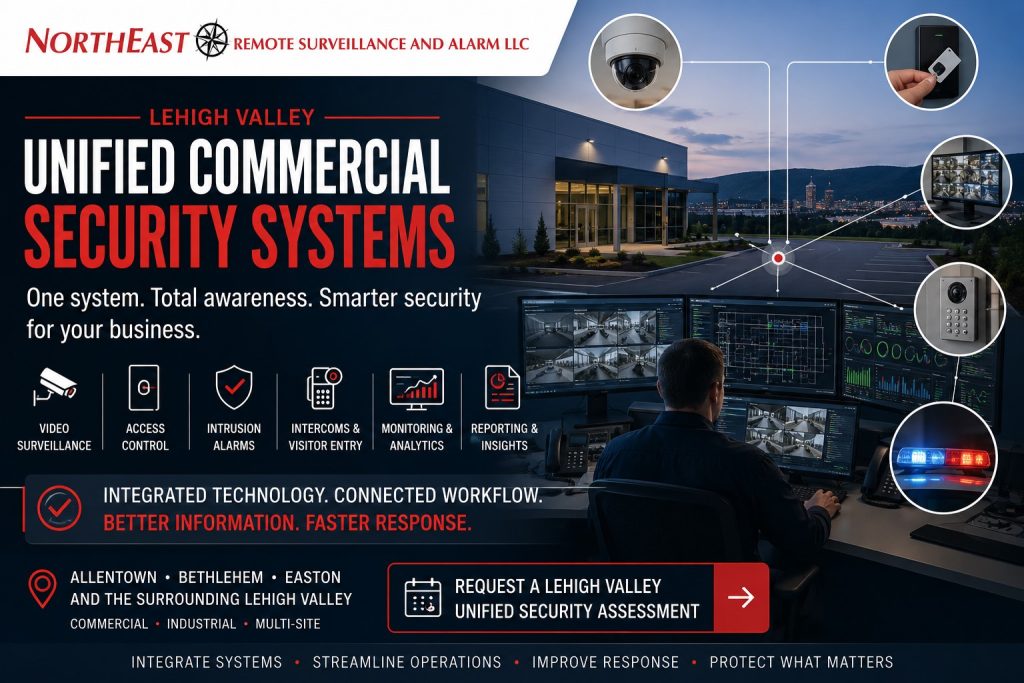
NERSA helps businesses coordinate event review, user permissions, monitoring, and reporting across their facilities.
Commercial security systems are often installed at different times to solve separate problems.
A facility may have one platform for cameras, another for controlled doors, a separate intrusion alarm, an independent intercom, several monitoring arrangements and different applications for multiple buildings.
Those systems may function individually while still creating unnecessary work for the people responsible for managing the property.
Northeast Remote Surveillance and Alarm, LLC (NERSA) designs, installs, integrates, upgrades, and supports unified commercial security systems throughout the Lehigh Valley. We serve warehouses, manufacturing plants, distribution centers, logistics operations, and industrial parks. Our work also covers offices, healthcare properties, schools, municipal buildings, contractor yards, multi-tenant properties, and multi-site organizations.
A unified commercial security system can coordinate cameras, access-controlled doors, alarm events, visitor communication, gate activity, monitoring, analytics, user permissions and reporting around the facility’s actual operations.
The objective is not to force every security technology into one application.
The objective is to connect compatible systems where coordination creates a clear operational, investigative or response benefit.
For broader commercial and industrial security throughout the region, visit Lehigh Valley Commercial and Industrial Security Systems.
For companywide unified and integrated security capabilities, visit Commercial and Enterprise Unified Security Systems.
Commercial and industrial systems only • Video surveillance • Access control • Intrusion alarms • Intercoms • Monitoring • Analytics • Reporting • Small businesses through enterprise organizations
Plan Lehigh Valley Unified Security Around Daily Operations
A unified commercial security system coordinates multiple security technologies so authorized personnel can manage events, users, video, alarms and responses more efficiently.
Depending on the facility and selected platforms, a coordinated security environment may include:
- Video surveillance
- Access control
- Intrusion detection
- Alarm monitoring
- Remote video monitoring
- Intercoms
- Visitor entry
- Gate access
- License plate recognition
- Video analytics
- Environmental or operational sensors
- Incident reporting
- User permissions
- Multi-site administration
- Security networks and infrastructure
The value comes from better context, faster investigation and clearer response rather than simply displaying several systems on one screen.
Compatible systems can connect a door event to the relevant camera view or create a video bookmark for a forced door. A gate credential may also be linked to entrance video or vehicle information. An intrusion event can direct monitoring personnel to the cameras needed for review.
The specific capabilities depend on platform compatibility, licensing, existing equipment, networks and the approved system design.
Unified, Integrated & Connected Security
Commercial security systems can be coordinated at different levels.
Connected systems may exchange limited information between selected devices or applications.
Integrated systems can exchange supported events, information or commands between separate platforms.
Unified systems can bring several security functions into a common management environment when the chosen platform supports that architecture.
Not every property requires complete unification.
The appropriate solution may involve a unified platform, several integrated systems or a combination of coordinated and independent technologies.
Why Lehigh Valley Businesses Coordinate Security Systems
Coordinated systems can reduce the number of apps facility managers use. They can also make incident review and alarm verification easier. Plan how visitor entry, doors, cameras, gates and administration across locations should work together.
It can also improve user management by reducing obsolete accounts, shared credentials and inconsistent permissions across multiple security systems.
For organizations adding cameras, doors, buildings or additional locations, a properly planned architecture can also simplify future expansion.
The system should make the organization easier to operate rather than adding unnecessary complexity.
Lehigh Valley Unified Security Resources
Core Security Technologies
Commercial Video Surveillance
For live video, recorded evidence, analytics, remote viewing and commercial camera-system planning, visit Lehigh Valley Commercial Video Surveillance Systems.
Commercial Access Control
For controlled doors, employee credentials, visitor access, schedules, locking hardware and gate permissions, visit Lehigh Valley Commercial Access Control Systems.
Commercial Intrusion Alarms
For protected openings, interior detection, alarm partitions, monitoring and after-hours intrusion protection, visit Lehigh Valley Commercial Intrusion Alarm Systems.
Remote Video Monitoring & Live Talk-Down
For analytics-supported off-site video review, verification, approved escalation and live audio intervention where appropriate, visit Remote Video Monitoring and Live Talk-Down.
Intercoms & Visitor Entry
For visitor communication, entrance verification, remote release and coordinated door or gate entry, visit the NERSA commercial visitor-entry and video-intercom resource.
Gate & Vehicle Access
For vehicle credentials, visitor communication, entrance cameras, access schedules and controlled commercial gates, visit the NERSA commercial gate-access resource.
License Plate Recognition
For focused vehicle documentation at gates, parking entrances, truck lanes and controlled approaches, visit the NERSA commercial license-plate-recognition resource.
Multi-Site Security Management
For centralized administration, user permissions, system inventories, reporting and service coordination across several locations, visit Multi-Site Security System Management.
Unified Security Workflows
Video With Door Events
For systems that associate access-granted, access-denied, forced-door and held-open events with nearby video, visit Lehigh Valley Commercial Access Control Systems.
Video Verification of Intrusion Events
For alarm events supported by associated camera views and visual context, visit Lehigh Valley Commercial Intrusion Alarm Systems.
Visitor Entry & Door Release
For intercom calls, video verification and authorized entry through controlled doors or gates, visit the NERSA visitor-entry and video-intercom resource.
Gate Activity & Vehicle Records
For coordinated gate credentials, entrance video, vehicle information and plate capture, visit the NERSA commercial gate and vehicle-access resource.
Multi-Site Administration
For centralized users, permissions, system naming and security administration across multiple facilities, visit Multi-Site Security System Management.
Unified Security by Facility Type
Warehouses & Distribution Centers
For employee entrances, loading docks, gates, truck courts, trailer areas, cameras, alarm verification and warehouse operations, visit Lehigh Valley Warehouse Security Systems.
Manufacturing Facilities
For employee credentials, production areas, contractor access, cameras, restricted spaces and industrial security coordination, visit Lehigh Valley Manufacturing Security Systems.
Offices & Multi-Tenant Properties
For visitor entry, tenant permissions, shared doors, parking cameras, intrusion protection and commercial office security, visit Lehigh Valley Office Building Security Systems.
Healthcare Properties
For controlled staff access, visitor entry, parking, restricted areas, duress protection and healthcare security, visit Lehigh Valley Healthcare Security Systems.
Schools & Institutional Properties
For controlled entrances, visitor communication, video surveillance, emergency communication and institutional security, visit the appropriate Lehigh Valley educational security resource.
Municipal & Public Works Properties
For public entrances, employee access, vehicle yards, cameras, alarms and multi-building municipal security, visit the appropriate Lehigh Valley municipal security resource.
Contractor Yards & Exterior Properties
For gates, fleet vehicles, exterior cameras, intrusion detection, remote monitoring and after-hours property protection, visit Lehigh Valley Contractor Yard Security Systems.
Industrial Parks & Multi-Building Properties
For shared entrances, tenant permissions, multiple buildings, gates, cameras and centralized property oversight, visit Lehigh Valley Industrial Park Security Systems.
Existing Security Systems, Upgrades & Takeovers
A unified-security project does not automatically require replacement of every existing system.
A facility may already have useful cameras, cabling, access-control hardware, alarm devices, intercoms, network equipment or other infrastructure.
NERSA can evaluate existing systems to determine whether a practical path may involve:
- Retaining compatible equipment
- Reconfiguring existing systems
- Adding supported integrations
- Replacing selected controllers or recorders
- Updating software
- Correcting licensing
- Improving network conditions
- Standardizing device names
- Reorganizing user permissions
- Phased system modernization
- Replacing unsupported equipment
Complete replacement may be appropriate when existing systems are proprietary, insecure, unsupported, unreliable or unable to provide the required functionality.
For dedicated existing-system planning, visit Lehigh Valley Commercial Security System Upgrades, Retrofits and Takeovers.
Networks & Infrastructure for Unified Security
Unified commercial security depends on stable and appropriately designed network and power infrastructure.
Depending on the project, infrastructure may include:
- Cat6 and Cat6A cabling
- Fiber connections
- PoE switching
- Network capacity
- VLANs
- Network segmentation
- IP addressing
- Wireless bridges
- Cellular communication
- Equipment racks
- Power supplies
- UPS protection
- Surge protection
- Secure remote access
- Device labeling
- Expansion capacity
- Network documentation
Connecting several security systems does not eliminate the need for secure administration, appropriate network separation and dependable infrastructure.
Security-network changes should be coordinated with authorized customer IT personnel.
User Permissions & Administrative Control
Unified systems can provide broad visibility and control, so user administration should reflect actual job responsibilities.
Not every employee should be able to:
- View every camera
- Export recorded video
- Unlock every door
- Change user permissions
- Modify alarm users
- Change monitoring instructions
- Review every facility
- Change system configuration
- Access security-network settings
Organizations should establish procedures for adding users, changing permissions, removing former employees, managing contractors, protecting administrator accounts and reviewing active users.
Individual user accounts and role-based permissions should be used where supported rather than shared administrator credentials.
Cybersecurity-Aware Security Integration
A unified platform may connect cameras, access-control systems, alarms, mobile applications, cloud services and remote users.
That convenience makes account ownership, network design, administrative control and software support important.
Planning may consider:
- Supported hardware
- Supported software
- Strong administrator credentials
- Individual user accounts
- Multi-factor authentication where available
- Network segmentation
- Secure remote access
- Controlled cloud administration
- Firmware and software maintenance
- Former-user removal
- Documented account ownership
- Backup and recovery
- Vendor access
- Event logs
- End-of-support planning
A highly integrated system that cannot be securely administered or supported may not be appropriate for long-term use.
When Security Systems Should Remain Independent
Integration is not automatically the correct choice.
Systems may need to remain independent because of:
- Life-safety requirements
- Manufacturer limitations
- Customer cybersecurity policies
- Separate tenant responsibilities
- Proprietary equipment
- Licensing restrictions
- Unsupported interfaces
- Operational risk
- Reliability requirements
- Limited practical benefit
Fire alarm and life-safety systems require particular care.
Security integrations must not interfere with required detection, notification, emergency operation, supervision or other life-safety functions.
Where appropriate, a security platform may receive selected information while the life-safety system continues to perform its required functions independently.
The NERSA Unified Security Planning Process
Define the Operating Objectives
The process begins by identifying what the organization needs to manage, investigate, verify, communicate or respond to more effectively.
Review Existing Systems
NERSA reviews available cameras, access control, intrusion alarms, intercoms, monitoring, networks, software, licenses, users and documentation.
Map Events & Workflows
Specific security events are reviewed to determine what information and response should occur when a door, alarm, camera, intercom or gate event takes place.
Establish the System Architecture
NERSA determines which systems can be unified, which can be connected through supported interfaces and which should remain independent.
Configure Users & Permissions
User roles are established around actual responsibilities, locations and system functions.
Install, Integrate & Test
Testing can verify video associations, door activity, alarms, intercom calls, gate release, monitoring communications, reporting, remote access and multi-site operation.
Train & Document
Authorized personnel can receive guidance on managing users, reviewing events, retrieving video, responding to alarms, operating visitor entry and requesting service.
The completed system should remain understandable and manageable for the people responsible for operating it.
Questions to Answer Before Selecting a Unified Security Platform
A commercial organization should understand:
- Which systems need to work together
- What problem the integration should solve
- Which employees will use the system
- Which facilities will be included
- What equipment is already installed
- Who owns existing accounts and equipment
- Whether administrator credentials are available
- Which platforms are supported
- Which licenses are required
- How users will be added and removed
- What video retention is required
- Who will administer the system
- How remote access will be secured
- What happens during network failure
- Which systems must remain independent
- How future buildings will be added
- What documentation and training are required
The appropriate system should follow the organization’s operational requirements rather than the longest available feature list.
Unified Security System Limitations
Integration can be limited by:
- Proprietary equipment
- Unsupported software
- Missing administrator access
- Expired licenses
- Non-transferable subscriptions
- Manufacturer restrictions
- Incompatible platforms
- Network restrictions
- Cybersecurity policies
- Unreliable infrastructure
- Unsupported software interfaces
- Provider-owned equipment
- Life-safety boundaries
- Insufficient system capacity
- Missing documentation
- Lack of replacement parts
- Excessive complexity
These limitations should be identified before the organization depends on the proposed integration.
A practical project may involve partial integration, phased modernization or selective replacement rather than connecting every installed component.
Related Commercial Security Resources
Lehigh Valley Commercial & Industrial Security Systems
For broader commercial security planning involving multiple systems, cities, corridors and property types throughout the region, visit Lehigh Valley Commercial and Industrial Security Systems.
Commercial & Enterprise Unified Security Systems
For companywide unified and integrated commercial security capabilities, visit Commercial and Enterprise Unified Security Systems.
Security System Upgrades, Retrofits & Takeovers
For inherited systems, equipment reuse, platform upgrades and phased modernization, visit Lehigh Valley Commercial Security System Upgrades, Retrofits and Takeovers.
Request a Lehigh Valley Unified Security Assessment
A unified security assessment should begin with the facility’s operations, users, events and response procedures rather than with a predetermined software platform.
NERSA can evaluate:
- Existing cameras
- Recording systems
- Access-controlled doors
- Intrusion alarms
- Intercoms
- Visitor entry
- Gates
- Vehicle access
- License plate recognition
- Alarm monitoring
- Remote video monitoring
- Analytics
- Existing software
- Licensing
- Administrator access
- Network infrastructure
- User permissions
- Multi-site administration
- Documentation
- Future expansion
The assessment can help determine which systems should be unified, which should be connected through supported interfaces and which should remain independent.
Frequently Asked Questions About Lehigh Valley Unified Commercial Security Systems
What is a unified commercial security system?
A unified commercial security system coordinates video surveillance, access control, intrusion alarms, intercoms, monitoring, analytics and reporting through a common or closely coordinated management environment.
What is the difference between unified and integrated security?
A unified system can manage several security functions through one platform, while an integrated system connects separate platforms so they can exchange supported events or information.
Does every commercial property need a unified security system?
No. Unification is useful when coordination improves administration, incident review, alarm verification, visitor entry, multi-site operation or response procedures.
Can existing cameras be integrated?
Possibly, depending on ownership, compatibility, firmware support, licensing, cybersecurity and network conditions.
Can access control be integrated with video?
Compatible systems can associate door events with nearby live or recorded camera views.
Can intrusion alarms connect with cameras?
Supported systems may associate intrusion events with relevant cameras for event review or video verification.
Can intercoms integrate with access control?
Compatible systems can coordinate visitor communication, video verification and authorized door or gate release.
Can gate access be part of a unified system?
Compatible gate systems may coordinate credentials, intercoms, entrance cameras, license plate capture, schedules and event records.
Can several Lehigh Valley locations use one platform?
Yes, when the selected platform, licensing, network and user-permission structure support multi-site administration.
Does unification require replacing every existing system?
No. Compatible and supportable equipment may sometimes remain in service or be replaced in phases.
Can unrelated brands always be integrated?
No. Integration depends on manufacturer support, software versions, licensing and the required workflow.
Should every security system be unified?
No. Some systems should remain independent because of life-safety, cybersecurity, tenant, reliability or manufacturer requirements.
Can fire alarm systems be included?
Selected information or interfaces may be coordinated where appropriate, but required life-safety functions must remain independently dependable and properly maintained.
Is unified security the same as remote monitoring?
No. Unified security coordinates systems and information, while remote monitoring involves off-site review and response to qualifying events.
Can NERSA evaluate an inherited system?
Yes. NERSA can evaluate qualifying existing equipment, administrator access, licensing, networks and system support to determine whether integration, upgrade or replacement is practical.
Does NERSA install single-family home unified security systems?
No. NERSA does not provide security installations for individual homes or single-family residences. We serve businesses, industrial and institutional facilities, and professionally managed apartment communities, including shared entrances, common areas, and grounds.
Contact Northeast Remote Surveillance and Alarm
For unified commercial security involving video surveillance, access control, intrusion alarms, intercoms, gates, monitoring, analytics or multi-site management in the Lehigh Valley, call 1-888-344-3846.
Request a Lehigh Valley Unified Security Assessment
Compliance, Codes & Project Standards
NERSA plans commercial and industrial security work with applicable code, documentation, inspection and authority-having-jurisdiction requirements in mind. Requirements vary by system, property and jurisdiction. These resources support project planning; they do not establish legal compliance, certification or AHJ approval.
Related guidance: Regulatory compliance & inspection readiness · NERSA project standards · Documentation, testing & inspection readiness