
NERSA provides commercial security installation in Bethlehem, PA for offices, warehouses, industrial facilities and professionally managed properties.

Request a Bethlehem security assessment
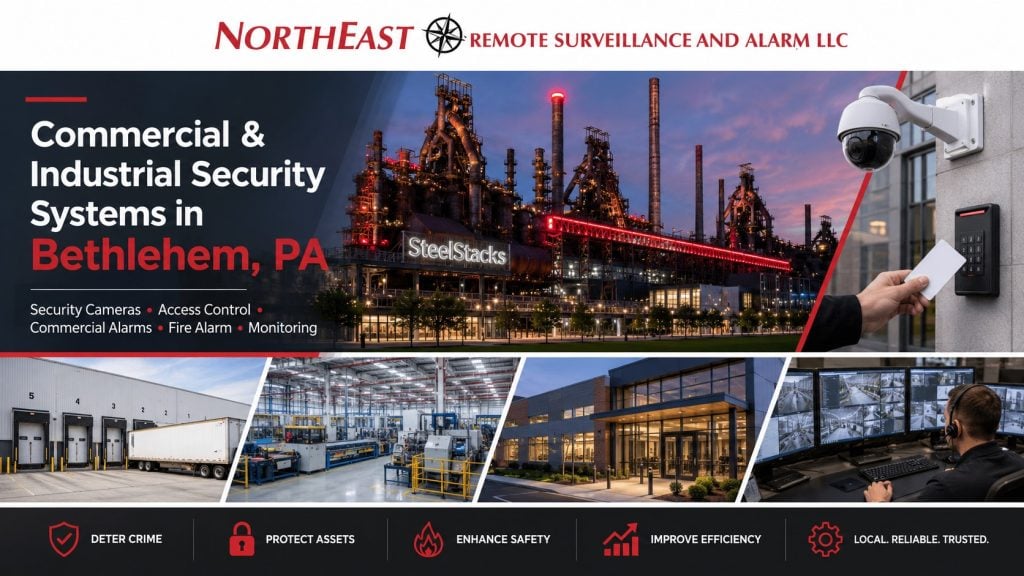
We design and install commercial security systems that coordinate cameras, access control and intrusion alarms, including upgrades, retrofits and takeovers of existing equipment. Project planning includes the affected entrances and work areas, installation sequencing, testing and a documented handover.
Have unreliable cameras, difficult door access, or an alarm system inherited from another provider? We assess existing equipment and plan repairs, new installations, or phased upgrades around your building and daily operations. Explain what is not working and what your team needs to do; the equipment list comes after that review.
Request a Bethlehem security assessment or call 1-888-344-3846 to discuss your property.
Use Lehigh Valley commercial security planning to coordinate projects that extend beyond Bethlehem into other regional locations.
Bethlehem Security Installation Services
- Commercial video surveillance and security camera installation: plan useful views of entrances, receiving areas, shared spaces, and parking, with recording and retrieval that staff can use. For vehicle entrances, explore license plate recognition in Bethlehem.
- Commercial access control installation: manage employee and visitor entry, permissions, schedules, and restricted rooms while reviewing the complete door opening.
- Alarm service selector: choose between intrusion-protection and fire-alarm work when you are unsure which service fits.
- Intrusion alarms: address unauthorized entry, separately armed areas, changing work hours, and alarm-response instructions.
- Fire alarm services: review detection, notification, fire-signal monitoring, and existing-system changes as a distinct life-safety scope.
- Remote video monitoring: define the events, coverage periods, operator review, and supported response, including talk-down where included.
- Low-voltage infrastructure: assess the cabling, power, and network connections behind the proposed security equipment.
Regional Warehouse Experience Relevant to Bethlehem Projects
NERSA’s Midea warehouse case study in the Lehigh Valley documents a managed alarm scope covering 76 overhead doors and 27 personnel doors.
It gives warehouse and manufacturing teams a concrete regional example of planning across different opening types.
The published project identifies the Lehigh Valley region; it is not presented here as a Bethlehem-address installation.
For your Bethlehem property, identify which doors serve receiving, employees, and areas that remain active after the office closes. Use the example to discuss clear door names and alarm responsibilities, while building the actual scope around your equipment and work schedules.
Plan Security Around Your Bethlehem Property
Bethlehem commercial security systems need to fit the building and the people who use it. An occupied office, a manufacturing property, a warehouse, and a healthcare facility have different public entrances, work schedules, and restricted areas. Start by identifying where visitors arrive, where staff enter, and where deliveries cross into the operation.
For properties serving the Route 22 and I-78 corridors, arrival patterns also matter. Early deliveries, changing shifts, and activity in exterior yards can continue beyond office hours. A useful plan assigns responsibility for these periods and identifies what managers need to see or review when they are away from the site.
NERSA reviews these conditions before selecting cameras, controlled doors, alarms, or monitoring.
The aim is a coordinated operating plan: who has access, which events require attention, who receives an alert, and how staff retrieve a useful record.
The service guides above let you explore each part of that plan in more detail.
Review NERSA’s Lehigh Valley Chamber membership and verified chamber and trade membership records as part of your company review.
Work With Existing Buildings and Daily Operations
Before choosing replacements, list the installed devices, available accounts, support contacts, and known faults. Mark each device for reuse, further review, or replacement, and record why. For occupied or shared properties, confirm who can approve access to tenant spaces, ceilings, doors, and equipment rooms.
Coordinate installation windows with production, deliveries, and public access. Record temporary procedures for any affected entrance or security function, and identify who restores normal operation at the end of the work.
Scalability From Small Business to Enterprise
Define immediate needs and likely additions before selecting a platform. Check capacity for doors, cameras, recording, network connections, licenses, and administrators. Where work is phased, agree on a usable result and acceptance check for each phase. Name the people who will support retained equipment and temporary arrangements between phases.
Agree on the Handover Before Installation
Agree on the staff tasks to test at handover. These include finding and exporting a recorded event, testing allowed and denied access, and checking schedules. Confirm that the monitoring provider receives the agreed alarm signals. Train the administrator and a backup using the installed equipment and their actual permissions.
Deliver device and door names, account responsibilities, user instructions, support contacts, and the test record. Separate defects requiring correction from future improvements outside the approved scope. Assign an owner and follow-up date to each unresolved item.
Security by Property Type
Manufacturing Facilities — Explore security services for production facilities.
Warehouses — Explore warehouse security systems and focused applications.
Logistics and Freight Movement — Plan freight arrivals, dock transfers, trailer staging, and departures.
Industrial Parks — Find security planning for Bethlehem industrial parks.
Office Buildings — Explore security for offices and shared commercial buildings.
Healthcare Properties — Explore security for medical facilities and staff areas.
Schools and Educational Facilities — Explore campus security and controlled-entry planning.
Municipal Buildings — Explore security for public-service facilities.
Multi-Site Organizations — Coordinate security administration across business locations.
Existing-System Improvements
Security Upgrades and Retrofits — Find focused guides for modernizing existing systems.
Choosing an Upgrade Approach — Compare takeover, retrofit, replacement, and phased work.
Map the Boundary Between Public and Private Areas
Walk the site as a visitor, employee, and delivery driver would. Mark arrival points, waiting areas, restricted workspaces, and who authorizes each transition. In a shared building, distinguish owner-controlled entrances and accounts from those managed by tenants. Confirm those responsibilities before proposing equipment or common-area work.
Separate Evidence Needs From General Visibility
State what each critical camera view must help the business establish. A yard overview and a receiving-handoff view serve different purposes. Include camera naming, timestamps, authorized access, retention needs, and the retrieval process in the scope. Ask the responsible staff member to find and export a representative event, then record any limitation that prevents the intended review.
Coordinate IT and Facilities Before Work Begins
Identify who owns pathways, power, network changes, accounts, and service interruptions. Share the timing of tenant fit-outs, production changes, and network replacements that could affect the installation. At handover, give staff a clear reporting route for door faults, recording problems, and account questions, with responsibility assigned to the appropriate team.
Review the System When the Business Changes
Recheck affected permissions, camera views, response contacts, and records when shelving, tenants, staffing, or delivery routes change. Keep a fault log with the location, observed behavior, time, and follow-up owner; keep confidential account information elsewhere. Review the existing system’s performance before expanding it.
Choose a Starting Scope That Fits Your Business
Small businesses and single locations
Start with the problem that affects your daily work: an entrance nobody can supervise, missing delivery records, difficult key control or an aging recorder. Decide who will use the system and what they need to do without specialist help. A useful first phase can address the most important gap while documenting what would be needed for later expansion. Ask which costs recur and which functions depend on an internet connection or subscription.
Growing companies and multiple sites
As locations are added, consistency matters. Use clear site, camera and door names; define who administers each location; and agree how employee changes reach every relevant system. A manager may need a view across sites while local staff need narrower access. Keep exceptions visible, especially when a newly acquired building uses a different platform. The Bethlehem multi-site guide covers this coordination in more detail.
Enterprise and industrial integration
For a campus or industrial operation, bring facilities, IT, security and operations into the same scope review.
Define the workflows that should connect systems, the information each team needs and the boundaries between security equipment and operational networks.
Ask for a demonstration of the proposed combination rather than assuming that a compatibility label includes every function.
For broader architecture and administration, review enterprise security systems integration.
Compare Ongoing Costs and Ownership
Record installation costs separately from software licenses, storage, monitoring, connectivity and service coverage. Use the same comparison period for each proposal and label estimates. Ask what changes when you add cameras, doors, users or another building. A low initial equipment price can leave a different long-term obligation, so make the renewal terms and included services part of the decision.
Confirm who controls administrator accounts, who can export recordings, how configuration records are maintained and how authorized service access is granted or removed. Keep credentials in an approved private location. If the business changes providers, the handover should explain which equipment, accounts and records can transfer and which steps require further coordination.
Build a Receiving and Shift-Change Plan
For Bethlehem manufacturing and warehouse properties, begin with the moments when responsibility changes hands. A delivery arrives, a driver waits, a receiving employee accepts freight, and another team moves it into storage. Each step may happen in a different area. Map those transitions before choosing camera positions or door schedules. A general yard view and a close receiving view answer different questions, so specify the record each team needs.
Consider what happens when a delivery arrives before the office opens or after the normal receiving window. Identify who can authorize entry, how the driver contacts that person, and where the vehicle waits. Keep employee entry separate from the delivery workflow when the property layout allows it. Review the plan with the people operating the dock rather than relying only on an office-hours walkthrough.
Shift changes deserve the same attention.
Overlapping staff, cleaning contractors, maintenance work, and temporary schedule exceptions can make a simple open-or-closed assumption unreliable.
Define which areas remain occupied and who manages exceptions.
For more detailed freight planning, use the Bethlehem warehouse and logistics guide alongside the relevant camera, access-control, and alarm services.
Check the Infrastructure Behind the Devices
A proposed camera or controlled door depends on more than the device at the wall. Ask where its power comes from, how it communicates, which equipment supports it, and who maintains those connections. Existing cable routes, network capacity, equipment-room access, and available documentation can affect the project sequence. These questions are particularly useful when a Bethlehem property has grown through several additions or uses equipment installed by different providers.
Review dependencies with IT and facilities before purchasing an expansion. Identify the functions that rely on the internet and the functions expected to continue locally. Discuss how faults become visible and who receives them. Where backup power or a secondary communication path is proposed, define which components it supports and how that arrangement will be tested. Avoid treating the presence of a backup device as proof that every part of the system can keep operating.
The Bethlehem low-voltage infrastructure guide supports this discussion.
Request clear labels and records for the installed connections so later maintenance does not depend on one person’s memory.
Keep access to network and security settings limited to the authorized people responsible for them.
Use Consistent Names Across a Campus
Agree on site, building, entrance, and camera names before commissioning a multi-building system. A label that makes sense to an installer may be unclear to an overnight manager. Use terms staff recognize, and resolve duplicate names such as “rear door” when several buildings have one. The same location should be identifiable in the drawing, software, monitoring instructions, and service request.
For a growing organization, define what should be consistent across locations and what must remain site-specific.
Employee departure procedures and administrator ownership may follow a common standard, while delivery hours and visitor routines differ.
Document those exceptions instead of forcing every property into the same schedule.
The Bethlehem multi-site security guide explains the broader coordination needs.
Bethlehem Project Questions
Which costs should a Bethlehem security proposal separate?
Ask for equipment, installation, infrastructure changes, programming, testing, and staff training to be distinguished from software, storage, monitoring, and support charges. Door condition, cable access, recording requirements, and permitted work hours can affect the installation. Request renewal, cancellation, and account-transfer terms for each recurring service before choosing a proposal.
Is remote viewing the same as professional monitoring?
No. Remote viewing lets an authorized user check the system; recording stores footage; an alert notifies a recipient. Operator monitoring adds the review and response specified in the service agreement. Confirm who responds during your building’s unstaffed hours and what happens if the first contact is unavailable.
Can the project begin with a repair rather than a replacement?
Yes, an assessment can start with the specific fault and the equipment already installed. The next step depends on condition, compatibility, available account access, manufacturer support, and the result your team needs. Ask for the reason behind each recommendation to retain, repair, or replace a component. A repair can address an immediate problem while a separate plan considers future improvements.
Does NERSA serve professionally managed apartment communities?
Yes. Shared entrances, common areas, grounds, and building-management needs remain within NERSA’s scope. NERSA does not provide security installations for individual homes or single-family residences. Identify the property manager, approval responsibilities, and shared areas involved when requesting an assessment.
What should happen when priorities change during installation?
Record the requested change, the reason, the affected work, and who can approve it. Ask whether it changes installation timing, ongoing charges, training, or the functions already agreed. Keep optional future work separate from corrections needed to complete the current scope. This makes decisions easier for both a small business owner and an enterprise project team.
Make the Assessment Visit Productive
Bring a floor plan if available, a short list of recurring problems, existing equipment details and the names of people responsible for doors, IT and daily operations. Explain which events are difficult to investigate and when the property is busiest or least staffed. Photos and records can help prepare the conversation, but sensitive plans and account details should be shared through an agreed private channel.
At the end of the review, ask for the next decisions in writing: immediate corrections, equipment needing further assessment, optional improvements and the proposed order of work. That gives an owner or manager a practical basis for approving the next phase without committing every future improvement at once.
Regional and Supporting Services
NERSA Service Areas — Explore service coverage beyond Bethlehem.
Commercial Gate Access Control — Review broader vehicle-entry planning.
Lehigh Valley Warehouse Security — Explore warehouse security across the region.
Security Assessment Process — Review how a local security project begins.
Request a Bethlehem security assessment to review your property, existing systems, and priorities.
Find your industrial park or business center
Browse the Bethlehem and the LVIP network park directory for property information, then contact NERSA about security for your building, tenant space or shared campus.
There is no obligation to proceed with installation.
Prefer to discuss your property first?
Compliance, Codes & Project Standards
NERSA plans commercial and industrial security work with applicable code, documentation, inspection and authority-having-jurisdiction requirements in mind. Requirements vary by system, property and jurisdiction. These resources support project planning; they do not establish legal compliance, certification or AHJ approval.
Related guidance: Regulatory compliance & inspection readiness · NERSA project standards · Documentation, testing & inspection readiness