
Plan managed access control around credential administration, door and controller status, communication faults, maintenance responsibilities, and verified recovery.

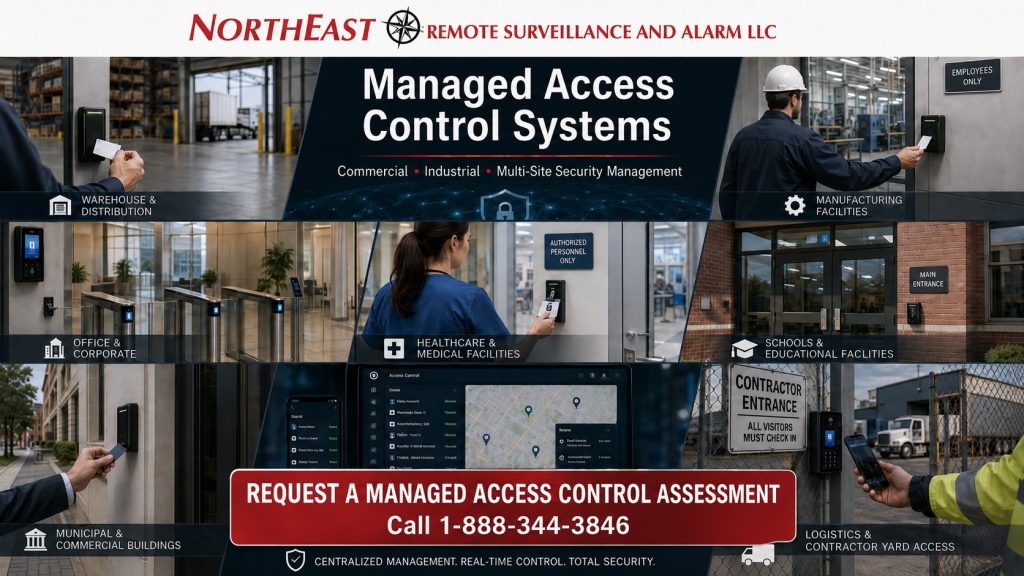
Access control systems require continuing administration, system-health oversight, credential control, documentation, reporting, service coordination, and lifecycle planning after the doors, readers, controllers, software, and credentials are placed into operation.
Employee turnover, changing work schedules, temporary contractors, department transfers, acquired properties, software changes, aging controllers, communication failures, and recurring door problems can gradually weaken an otherwise dependable access-control environment.
Northeast Remote Surveillance and Alarm, LLC provides managed access control services for commercial, industrial, institutional, municipal, healthcare, educational, warehouse, manufacturing, logistics, office, and multi-site organizations throughout Pennsylvania and selected Mid-Atlantic markets.
Managed access control can help organizations maintain:
- Accurate user and credential records
- Appropriate door permissions
- Timely employee onboarding and offboarding
- Organized administrator accounts
- Consistent schedules and holiday calendars
- Controller and communication visibility
- Door-condition reporting
- Service coordination
- Recurring-problem tracking
- System documentation
- Software and licensing records
- Preventive maintenance planning
- Multi-location access standards
- Equipment lifecycle priorities
Managed service does not decide who should receive access. The customer retains authority over access decisions, while NERSA helps carry out approved changes, supervise system conditions, maintain records, coordinate service, and support the continuing operation of the access-control environment.
For broader management of video surveillance, alarms, fire communication, multi-site systems, and connected security infrastructure, visit Managed Security Systems and System Health Monitoring.
Managed Security Systems and System Health Monitoring↗
Call 1-888-344-3846 or request a managed access control assessment.
Complete Hardware Installation and Door Adjustments Included
NERSA installs all access-control hardware specified for your system and fine-tunes the complete door opening as part of the installation. This includes door, hinge, latch and closer adjustments so the door closes, latches and operates reliably with the access-control system.
Before handover, we test credential operation, authorized entry, door closing, latching and required exit operation. Hardware installation and these door adjustments are part of our installation work.
What Is Managed Access Control?
Managed access control is the continuing administration, health oversight, documentation, reporting, maintenance coordination, and lifecycle support of a commercial electronic access-control system.
Access-control installation establishes the controlled openings, hardware, software, communication, and initial programming.
Managed access control addresses what happens after deployment.
Depending on the platform and written service agreement, managed support may include:
- Adding and removing users
- Issuing and disabling credentials
- Managing access groups
- Updating door schedules
- Maintaining holiday calendars
- Reviewing administrator accounts
- Monitoring controller communication
- Reviewing system and door exceptions
- Coordinating remote diagnostics
- Coordinating field service
- Maintaining system records
- Supporting software and licensing
- Tracking recurring failures
- Planning upgrades and replacements
- Standardizing procedures across multiple properties
The goal is not merely to provide remote access to the software.
The goal is to help the organization maintain dependable control over:
- Who may enter
- Which openings they may use
- When access is permitted
- Who may authorize changes
- How credentials are issued and revoked
- How system problems are reported
- How service is coordinated
- How system records are maintained
- How aging equipment is evaluated
Managed Access Control Versus Access Control Installation
Access-control installation and managed access control serve different purposes.
Installation establishes the physical and electronic system.
Managed service supports its continuing administration, health, documentation, maintenance, and operational control.
A properly installed system can still become poorly managed.
Common examples include:
- Former employees retaining active credentials
- Contractors remaining active after their work ends
- Shared administrator accounts
- Inaccurate access groups
- Outdated schedules
- Unknown account ownership
- Unresolved controller communication problems
- Repeated door alarms
- Missing system records
- Unsupported software
- No replacement plan for aging equipment
Managed access control creates a repeatable operating process for maintaining the system after deployment without competing with the separate design and installation function of a commercial access-control provider.
Why Access Control Systems Become Difficult to Manage
Access control changes whenever an organization changes.
A company may:
- Hire employees
- Terminate personnel
- Move departments
- Add work shifts
- Change operating hours
- Issue temporary contractor credentials
- Introduce mobile access
- Acquire another property
- Add controlled doors
- Replace a server
- Move to a cloud platform
- Change security responsibilities
Without consistent administration, the system may accumulate:
- Credentials assigned to former employees
- Duplicate user records
- Shared accounts
- Generic administrator passwords
- Excessive permissions
- Unused access groups
- Incorrect schedules
- Active contractor credentials
- Unknown mobile users
- Installer-controlled accounts
- Unsupported software
- Missing documentation
- Unresolved system-health conditions
- No record of who approved changes
These conditions may not immediately stop the system from operating, but they reduce accountability and make the environment harder to manage, audit, troubleshoot, and support.
User and Credential Administration
User administration is one of the most important parts of managed access control.
Each authorized person should have:
- A defined identity
- An approved credential
- Appropriate permissions
- An identified department or role
- A documented authorizing manager
- A defined start date
- An expiration date when appropriate
- A repeatable removal process
Managed user administration may include:
- Creating user records
- Updating employee information
- Assigning departments
- Issuing card credentials
- Enrolling mobile credentials
- Assigning PINs where permitted
- Setting activation dates
- Setting expiration dates
- Applying access groups
- Removing duplicate records
- Disabling lost credentials
- Replacing damaged credentials
- Reviewing inactive users
- Documenting approved changes
The managed provider should not independently decide who receives access.
The customer should identify authorized representatives who may approve additions, removals, permission changes, schedule changes, and administrative actions.
Employee Onboarding
New employees should receive only the access required for their position.
A structured onboarding request may identify:
- Employee name
- Employee number
- Department
- Primary property
- Additional approved locations
- Required doors
- Approved schedules
- Credential type
- Activation date
- Expiration date
- Authorizing manager
- Special restrictions
- Alarm permissions where applicable
A defined onboarding process reduces over-permissioning and avoids the common practice of copying another employee’s access without reviewing whether the permissions are appropriate.
Employee Transfers and Role Changes
When an employee changes departments, responsibilities, shifts, or locations, existing permissions should be reviewed rather than simply adding more access.
A transfer may require:
- Adding access to a new area
- Removing access to a former department
- Updating shift permissions
- Changing regional or multi-site access
- Removing alarm authority
- Updating mobile access
- Changing administrator privileges
- Updating gate or elevator permissions
- Documenting the approving manager
An employee’s permissions should reflect current responsibilities rather than every position the employee has held.
Employee Offboarding
Employee separation creates one of the most important access-control responsibilities.
Offboarding may require:
- Disabling card credentials
- Revoking mobile credentials
- Removing PIN access
- Removing administrator privileges
- Removing video-system access
- Removing alarm-panel codes
- Removing cloud-platform access
- Recovering physical credentials
- Updating notification lists
- Documenting completion
- Coordinating with human resources and IT
The customer should establish who may authorize urgent credential removal and how those requests must be submitted.
A managed process can create a repeatable sequence for:
- Authorization
- Credential revocation
- Related account removal
- Confirmation
- Documentation
Contractor, Vendor, and Temporary Access
Contractors, vendors, cleaning personnel, temporary workers, and service providers may require controlled access for a limited purpose.
Managed temporary access may include:
- Defined activation dates
- Automatic expiration dates
- Limited doors
- Limited operating hours
- Project-specific groups
- Location-specific permissions
- Sponsor identification
- Credential return procedures
- Periodic reviews
- Immediate revocation when work ends
Temporary credentials should not remain active indefinitely because no one remembered to remove them.
Expiration-based administration can reduce that risk when the installed platform supports it.
Access Levels and Permission Groups
Access groups determine which openings a person may use and when.
Managed permission administration may include:
- Department-based groups
- Location-based groups
- Shift-based permissions
- Executive access
- Maintenance access
- IT-room access
- Warehouse-zone access
- Restricted-area permissions
- Temporary project groups
- Emergency access groups
- Regional multi-site access
Access groups should use clear, understandable names.
Labels such as “Group 12,” “Miscellaneous,” or “Level B” may become difficult to interpret after employee, administrator, or provider turnover.
Clear naming improves:
- User administration
- Reporting
- Troubleshooting
- Auditing
- Service
- Training
- Expansion
- Provider transitions
Door Schedules and Holiday Administration
Commercial operating schedules change throughout the year.
Managed schedule administration may include:
- Normal business hours
- Employee shift schedules
- Weekend access
- Holiday closures
- Seasonal hours
- Special events
- Temporary schedule extensions
- Early openings
- Weather-related changes
- Restricted overnight access
- Automatic unlock schedules
- Automatic relock schedules
Schedule changes should be reviewed carefully because they may affect both security and building operations.
Automatic unlocking and relocking should be coordinated with the customer’s operational procedures, door conditions, emergency requirements, and approved access policies.
Administrator Account Management
Access-control platforms frequently contain more administrators than the customer realizes.
Common problems include:
- Shared usernames
- Former employee accounts
- Installer-owned accounts
- Generic administrator credentials
- Unrestricted vendor access
- Accounts with unknown owners
- Excessive permissions
- No account-recovery procedure
- Uncontrolled mobile access
- Multiple unused accounts
A managed administrative structure may include:
- Customer-owned primary accounts
- Individual administrator accounts
- Role-based permissions
- Multi-factor authentication where supported
- Limited provider access
- Defined approval authority
- Documented account recovery
- Former-user removal
- Periodic administrator reviews
- Audit-log review where available
NERSA recommends that customers retain appropriate ownership of their access-control platform, user information, credential database, and primary administrative authority whenever the system permits it.
For related account, network, and data-handling practices, review Cybersecurity and Data-Protection Standards.
Access Control System Health Monitoring
Access control may continue operating partially even when important components have stopped communicating.
A controller may continue making local decisions while the management software no longer receives events.
A reader may still accept some credentials even though communication, reporting, or database synchronization has failed.
A managed health program may help identify:
- Controllers offline
- Panels that stop communicating
- Readers not responding
- Communication modules offline
- Cloud gateways offline
- Servers unavailable
- Databases unavailable
- Network communication loss
- Power-supply trouble
- Low backup batteries
- Devices repeatedly disconnecting
- Software or licensing problems
- Doors repeatedly held open
- Doors repeatedly forced open
- Remote locations that stop reporting
Not every access-control platform provides the same health information.
Available visibility depends on:
- Manufacturer
- Controller model
- Software
- Cloud service
- Licensing
- Programming
- Network design
- Communication paths
- Installed sensors
- Service configuration
For health oversight across cameras, alarms, servers, communication paths, networks, and related systems, visit Commercial Security System Health Monitoring.
Forced-Door and Held-Door Conditions
Forced-door and held-door activity can indicate security, operational, hardware, or programming problems.
A forced-door condition may result from:
- A door opening without an accepted credential
- Mechanical key use
- A misaligned contact
- Damaged hardware
- Incorrect programming
- A bypassed opening
- An unexpected door state
A held-door condition may result from:
- A propped door
- Extended deliveries
- Heavy employee traffic
- A weak closer
- A door that does not latch
- An incorrect alarm delay
- Workflow that does not match the original design
Managed review can identify repeated patterns, but event reports must be interpreted in context.
Not every forced-door or held-door event represents an intrusion. Some conditions result from hardware failure, building use, employee behavior, or incorrect programming.
Door and Field-Service Coordination
Access control depends on the complete controlled opening.
Software administration cannot correct a door that:
- Does not close
- Does not latch
- Has damaged hardware
- Has a failed lock
- Has a weak closer
- Has a misaligned contact
- Has damaged wiring
- Has a failed power supply
Managed service can help identify recurring door conditions, document their frequency, review related events, and coordinate the appropriate field response.
Detailed door-hardware selection, opening design, and installation remain part of dedicated commercial access-control and electrified-door services and are separate from ongoing managed administration.
Some conditions may require coordination with:
- A security technician
- A locksmith
- A door contractor
- An electrician
- A fire alarm provider
- An elevator contractor
- Customer IT personnel
- A manufacturer
Remote Diagnostics and Service Coordination
Remote review may help determine whether a reported problem involves:
- A user record
- A credential
- An access group
- A schedule
- A controller
- A reader
- A door contact
- A communication path
- A network connection
- Software
- Licensing
- A server
- A cloud account
- A local workstation
- A mobile application
- Physical door operation
Some issues may be corrected remotely.
Other conditions require on-site service.
A managed service workflow may include:
- Recording the reported condition
- Confirming the property
- Identifying the door or device
- Reviewing recent events
- Reviewing available system-health information
- Checking user permissions
- Performing approved remote diagnostics
- Assigning service priority
- Coordinating site access
- Dispatching the appropriate technician
- Recording findings
- Documenting corrective work
- Confirming restoration
- Tracking follow-up items
This creates a useful service history instead of a disconnected collection of emails, invoices, and individual repair requests.
Recurring Access Control Problems
Repeated failures should not be treated as unrelated service calls.
Examples include:
- The same door repeatedly failing to latch
- A controller frequently going offline
- A reader intermittently rejecting valid credentials
- Repeated low-battery conditions
- A gate repeatedly losing communication
- A contact producing recurring false events
- Mobile credentials repeatedly failing
- A server repeatedly running out of resources
- A remote property repeatedly losing network communication
- Schedules repeatedly being changed incorrectly
Recurring-failure analysis may identify:
- Failing equipment
- Damaged cabling
- Unstable power
- Poor network connectivity
- Incorrect programming
- Door alignment problems
- Environmental exposure
- Unsupported controllers
- Software incompatibility
- Operational misuse
- Inadequate original design
The objective is not simply to close another ticket.
The objective is to reduce repeated downtime and improve dependable door operation.
Preventive Access Control Maintenance
Remote management does not replace physical inspection and testing.
A preventive maintenance program may include:
- Reader testing
- Credential testing
- Door contact testing
- Lock-operation review
- Request-to-exit testing
- Door-closer review
- Latch verification
- Forced-door alarm testing
- Held-door alarm testing
- Power-supply inspection
- Battery testing
- Controller inspection
- Enclosure inspection
- Wiring review
- Database-backup verification
- Documentation updates
Maintenance frequency should reflect:
- Door traffic
- Facility risk
- Hardware type
- Operating environment
- Service history
- Manufacturer guidance
- Customer operations
- Applicable requirements
A high-volume warehouse employee entrance may require more frequent attention than a lightly used interior office door.
Access Control Reporting
Managed reporting should provide useful information to authorized personnel.
Reports may include:
- Active users
- Disabled credentials
- Expiring credentials
- Inactive users
- Administrator accounts
- Recent credential changes
- Forced-door events
- Held-door events
- Offline controllers
- Access-denied activity
- Schedule exceptions
- Open service conditions
- Recurring failures
- Unsupported equipment
- Upcoming maintenance
- Lifecycle recommendations
Different departments may require different information.
Human resources may need credential-removal confirmation.
Facilities may need door and hardware conditions.
Security management may need exception reports.
Information technology may need server, account, software, and network information.
Reports should be limited to authorized recipients and should follow the customer’s privacy, employment, record-retention, and security policies.
Access Control Documentation
Managed documentation may include:
- Controlled-door inventories
- Door names and locations
- Reader types
- Controller records
- Credential formats
- Access groups
- Schedules
- Administrator accounts
- Software versions
- Licensing
- Network dependencies
- System drawings
- Service histories
- Known deficiencies
- Warranty information
- Replacement priorities
- Approval procedures
Clear documentation improves administration, reporting, troubleshooting, service, expansion, and future provider transitions.
Records should be maintained through an organized process rather than scattered among employee email accounts, paper folders, local workstations, and provider portals.
Multi-Site Access Control Management
Organizations with multiple facilities face additional administrative challenges.
Different properties may use:
- Separate access-control platforms
- Different credential technologies
- Different mobile systems
- Inconsistent door names
- Different access groups
- Shared administrator accounts
- Separate holiday schedules
- Unsupported controllers
- Separate databases
- Different service providers
Managed multi-site access control may include:
- Central user administration
- Site-specific permissions
- Organization-wide credentials
- Access-group standardization
- Employee transfer coordination
- Immediate credential revocation
- Controller inventories
- Door inventories
- Standard naming
- Administrator reviews
- Site-specific health reports
- Service-ticket coordination
- Platform migration planning
- Lifecycle forecasting
The objective is not simply to place every property in one database.
The objective is to establish clear authority, consistent procedures, appropriate permissions, dependable door operation, and supportable equipment.
For broader management across video surveillance, alarms, fire communication, documentation, service, and lifecycle planning, visit Multi-Site Security System Management.
For system architecture, platform selection, deployment, and standardization across multiple locations, visit Multi-Site Commercial Security Systems.
Cloud, On-Premises, and Hybrid Access Control
Managed access control may support cloud-managed, locally hosted, and hybrid platforms.
Cloud-managed access control
Cloud systems may provide:
- Remote administration
- Centralized users
- Mobile credentials
- Multi-site dashboards
- Software updates
- Health notifications
- Centralized reporting
- Subscription-based licensing
Cloud service still depends on functioning local controllers, readers, locks, communication, networks, power, and wiring.
On-premises access control
On-premises systems may use:
- Local servers
- Customer-managed databases
- Dedicated workstations
- Virtual machines
- Private networks
- Local software
- Customer-managed backups
These systems frequently require closer coordination with the customer’s IT department.
Hybrid access control
Hybrid environments may combine local controller operation with cloud-based administration, remote access, reporting, mobile credentials, or health monitoring.
The appropriate architecture depends on the organization’s facility requirements, network policies, internet reliability, system scale, cybersecurity standards, and long-term support expectations.
Existing Access Control System Takeovers
Changing providers does not always require complete access-control replacement.
A takeover assessment may review:
- Platform identification
- Account ownership
- Administrator access
- User-database condition
- Credential technology
- Controller condition
- Software access
- Licensing
- Network requirements
- Manufacturer support
- Documentation
- Known deficiencies
- Serviceability
- Upgrade priorities
The assessment may recommend that the system be:
- Retained
- Corrected
- Integrated
- Migrated
- Replaced
Some systems can be adopted with limited corrective work.
Others may require account transfer, password recovery, database cleanup, software updates, network corrections, documentation, or phased modernization.
For detailed provider-transition planning, visit Commercial Security System Takeovers.
For broader modernization, visit Commercial Security System Upgrades, Retrofits, and Takeovers.
Access Control Lifecycle Management
Access-control hardware, software, credentials, and communication technologies eventually become unsupported, unreliable, or incompatible.
Lifecycle planning may review:
- Unsupported controllers
- Discontinued readers
- Obsolete credential technologies
- Retired operating systems
- Expired software support
- Unsupported databases
- Aging power supplies
- Failing backup batteries
- Lack of replacement parts
- Limited system capacity
- Proprietary account restrictions
- Inadequate security features
- Repeated communication failures
- Unsupported mobile applications
Equipment may be classified as:
Retain: Supported equipment that continues meeting operational requirements.
Correct: Equipment requiring repair, programming, documentation, or limited modernization.
Integrate: Serviceable systems that can remain while being connected to a more consistent operating structure.
Migrate: Platforms that should be replaced gradually.
Replace: Equipment that is unsupported, unreliable, inaccessible, or no longer appropriate.
When immediate replacement is not practical, Phased Security Upgrades can help prioritize critical doors, unsupported controllers, account ownership, software, and high-risk properties.
Access Control Integration
Access-control events may be coordinated with:
- Video surveillance
- Intrusion alarms
- Intercoms
- Visitor entry
- Gate systems
- Remote monitoring
- Incident reporting
- Emergency procedures
Managed access control should introduce these connected workflows without absorbing the broader integration purpose.
For complete planning involving video, alarms, access control, intercoms, monitoring, analytics, and centralized platforms, visit Unified and Integrated Security Systems.
Industries That Benefit from Managed Access Control
Managed access control may support:
- Warehouses and distribution centers
- Manufacturing facilities
- Industrial properties
- Commercial offices
- Healthcare facilities
- Schools and educational properties
- Municipal buildings
- Contractor yards
- Logistics facilities
- Commercial campuses
- Multi-tenant properties
- Property-management portfolios
- Retail and service businesses
- Small commercial properties
- Regional organizations
- Enterprise organizations
A smaller commercial property may need occasional credential administration, employee offboarding, and system-health support.
A larger organization may require centralized users, location-specific permissions, administrator reviews, temporary credential expiration, consolidated reporting, preventive maintenance, and lifecycle planning across many facilities.
Explore the complete Industries NERSA Serves.
What Managed Access Control Does Not Guarantee
Managed access control can improve administration, visibility, documentation, accountability, and service coordination, but it cannot prevent every unauthorized entry, credential misuse, employee-policy violation, or technical failure.
Limitations may include:
- Credential sharing
- Tailgating
- Doors being propped open
- Mechanical key use
- Sudden equipment failure
- Electrical outages
- Internet interruptions
- Customer network changes
- Physical damage
- Unsupported equipment
- Conditions not reported by the platform
- Incorrect customer information
- Unauthorized local changes
- Delayed service authorization
- Employee actions outside policy
- Failures occurring between inspections
The written agreement should identify:
- Included properties
- Included systems
- Administrative responsibilities
- Authorized requestors
- Available health functions
- Notification procedures
- Service priorities
- Reporting expectations
- Corrective-service terms
- Customer responsibilities
- Exclusions
Why Choose Northeast Remote Surveillance and Alarm?
NERSA focuses on commercial and industrial physical-security systems.
Our managed access-control capabilities extend beyond software administration because our team understands the complete operational environment, including:
- Users and credentials
- Controllers and readers
- Software and servers
- Networks and communication
- Door conditions
- Power supplies
- Monitoring procedures
- System documentation
- Field service requirements
- Long-term platform support
NERSA capabilities include:
- Managed access control
- Credential administration
- User onboarding and offboarding
- Controller and system-health oversight
- Multi-site access management
- Account ownership review
- System documentation
- Remote diagnostics
- Service coordination
- Preventive maintenance planning
- Access-control takeovers
- Platform migration
- Lifecycle planning
- Unified security coordination
- Field repair and modernization
This connection between administration, remote visibility, documentation, and field service helps NERSA identify problems, coordinate the appropriate response, and reduce repeated system failures.
Frequently Asked Questions About Managed Access Control
What is managed access control?
Managed access control provides ongoing credential administration, permission management, schedule updates, system-health oversight, reporting, documentation, service coordination, and lifecycle support for commercial access-control systems.
Is managed access control the same as access-control installation?
No. Installation establishes the controlled openings, equipment, software, communication, and initial programming. Managed service supports the system after deployment.
Can NERSA add and remove employee credentials?
Yes, when authorized by an approved customer representative and supported by the installed platform.
Can access be removed quickly when an employee leaves?
The service process can be designed for urgent credential removal, but the customer must establish authorized requestors, approved communication methods, and required timing.
Can contractor credentials expire automatically?
Many commercial access-control platforms support activation and expiration dates, although available functions depend on the system.
Can NERSA manage access across several properties?
Yes. Compatible systems may support centralized users, shared credentials, location-specific permissions, common access groups, schedules, and consolidated reporting.
Do all properties need to use the same access-control platform?
No. Mixed systems may be managed while a phased standardization, integration, or migration plan is developed.
Can NERSA manage equipment installed by another company?
Possibly. NERSA must evaluate the platform, equipment, account ownership, administrator access, licensing, condition, documentation, network requirements, and manufacturer support.
Can system-health monitoring identify an offline controller?
Many modern systems can report controller, server, gateway, and communication conditions, but available visibility depends on the installed equipment and configuration.
Does managed access control include every field repair?
No. Remote administration and health oversight may identify or help diagnose problems, but field labor, replacement hardware, electrical work, locksmith service, subscriptions, and corrective repairs depend on the written agreement.
Who should own the access-control account?
NERSA recommends that the customer retain appropriate ownership and administrative authority whenever the platform permits it.
Can managed access control prevent tailgating?
No access-control system can completely prevent one person from following another through an authorized opening. Procedures, employee training, video surveillance, turnstiles, guards, or other controls may be required.
Can NERSA support both small businesses and enterprise organizations?
Yes. Managed service can scale from a small commercial property with several controlled openings to a regional or enterprise organization with many users, doors, and locations.
Request a Managed Access Control Assessment
Do not wait until an incident reveals that:
- A former employee still had access
- A contractor credential never expired
- No one knew the administrator password
- A controller had stopped communicating
- A critical opening had recurring trouble
- Several people shared one account
- Holiday schedules were incorrect
- A cloud account belonged to a former provider
- Repeated failures were never resolved
- Unsupported equipment had no replacement plan
NERSA can assess:
- Existing access-control platforms
- Account ownership
- Administrator credentials
- Users and access groups
- Credential technologies
- Controlled-door inventories
- Controller and communication health
- Available system-health functions
- Software and licensing
- Network dependencies
- Documentation
- Service history
- Recurring problems
- Multi-site requirements
- Upgrade priorities
- Lifecycle risks
Call Northeast Remote Surveillance and Alarm, LLC at 1-888-344-3846 or request a managed access control assessment.
Plan Your Next Security Improvement
Tell NERSA about your commercial facility, existing systems, and project priorities. We can help you plan an installation, evaluate an upgrade, or coordinate security across multiple locations.
Compliance, Codes & Project Standards
NERSA plans commercial and industrial security work with applicable code, documentation, inspection and authority-having-jurisdiction requirements in mind. Requirements vary by system, property and jurisdiction. These resources support project planning; they do not establish legal compliance, certification or AHJ approval.
Related guidance: Regulatory compliance & inspection readiness · Access control & door hardware standards · NFPA 101 & egress planning · ADA access-control planning