
Plan access control around who may enter, when they need access, and how each door must operate.

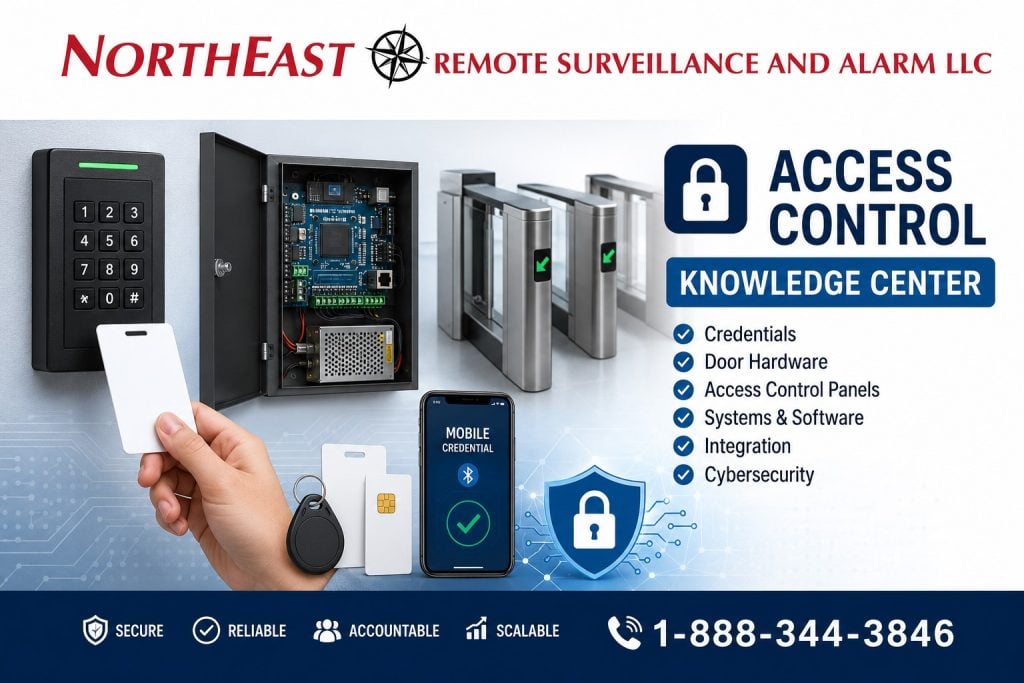
Choose credentials, schedules, and software that staff can manage.
The design must also address secure accounts, useful event records, and required exit functions.
This guide explains the main system components and supports our commercial and industrial access control service.
Northeast Remote Surveillance and Alarm, LLC designs access control systems for warehouses, manufacturing facilities, healthcare properties, schools, municipal buildings, office campuses, industrial sites, contractor yards, multi-tenant buildings, and multi-site commercial operations.
Complete Hardware Installation and Door Adjustments Included
NERSA installs all access-control hardware specified for your system and fine-tunes the complete door opening as part of the installation. This includes door, hinge, latch and closer adjustments so the door closes, latches and operates reliably with the access-control system.
Before handover, we test credential operation, authorized entry, door closing, latching and required exit operation. Hardware installation and these door adjustments are part of our installation work.
What This Commercial and Industrial Access Control Guide Covers
Plan an access-control system around the doors, people, and daily routines it needs to support.
It is designed to help property owners, facility managers, operations leaders, IT teams, safety managers, school administrators, healthcare administrators, warehouse operators, industrial decision-makers, and commercial property managers understand how access control works before they choose a system.
Start with these parts of the access-control plan:
- What access control means
- Credentials
- Card readers
- Mobile credentials
- PIN readers
- Controllers
- Access control panels
- Electric strikes
- Maglocks
- Electrified trim
- Exit devices
- Turnstiles
- Gate access control
- Cloud access control
- On-premise access control
- Multi-site management
- Audit trails
- Door schedules
- Role-based permissions
- Fire alarm release
- Life-safety coordination
- Cybersecurity
- Video integration
- Warehouse access control
- Common design mistakes
- Access control lifecycle planning
For installation, design, and assessment planning, visit Commercial & Industrial Access Control Systems.
What Access Control Means in Commercial and Industrial Facilities
Access control is an electronic security system that determines who is allowed to enter, where they are allowed to enter, when they are allowed to enter, and what activity is recorded.
Unlike mechanical keys, access control systems can provide:
- Credential-based authentication
- Role-based permissions
- Door schedules
- Audit trails
- Remote management
- User-level accountability
- Multi-site control
- Door status monitoring
- Integration with video surveillance
- Integration with intrusion alarms
- Integration with gate systems
- Reporting for investigations and operations
In practical terms, access control helps businesses move from unmanaged keys and informal access habits to a more accountable and scalable method of controlling entry.
A commercial or industrial access control system may protect employee entrances, warehouse doors, office doors, tenant spaces, restricted rooms, IT closets, medicine storage, tool rooms, shipping offices, receiving areas, production spaces, mechanical rooms, gates, turnstiles, and parking entrances.
Why Access Control Matters More Than Keys
Mechanical keys create long-term problems for commercial and industrial properties.
Keys can be copied, lost, shared, kept after an employee leaves, or used without any record of who entered. Rekeying a building can be expensive and disruptive, especially for warehouses, schools, healthcare properties, office buildings, industrial facilities, and multi-tenant properties.
Access control helps solve those problems by giving the organization a better way to manage entry.
A properly designed system can help:
- Remove access quickly when someone leaves
- Assign permissions by role or department
- Limit access by schedule
- Document door activity
- Reduce uncontrolled key exposure
- Support investigations
- Control restricted areas
- Support multi-site administration
- Coordinate with video surveillance
- Improve after-hours accountability
- Reduce unauthorized movement inside the building
The value is not only in the reader on the wall. The value is in the policy, permissions, audit history, door hardware, software, and long-term management structure behind the system.
The Core Parts of a Modern Access Control System
A modern access control system includes several connected layers. Each layer matters.
The strongest systems are designed around the door, the user, the credential, the controller, the software, the network, and the facility’s operating needs.
Credential Technology
Credentials are the tools people use to prove they are authorized to enter.
Read the end-user guide to access control credentials and security before selecting cards, fobs, or mobile credentials.
Common credentials include:
- Proximity cards
- Smart cards
- Encrypted RFID credentials
- Key fobs
- Mobile credentials
- PIN codes
- Card-plus-PIN workflows
- Biometric credentials in selected applications
The right credential depends on the facility type, risk level, user population, budget, cybersecurity expectations, and desired level of control.
A warehouse with hourly shift workers may use a different credential strategy than a healthcare facility, school, corporate office, industrial plant, or multi-site enterprise operation.
The goal is to choose a credential that is practical for the users while still meeting the facility’s security requirements.
Reader Communication
Reader communication is how the card reader, keypad, or mobile credential reader communicates with the access control controller.
This matters because not all reader communication methods provide the same level of security.
Older systems often use Wiegand communication. Wiegand is common in legacy access control systems, but it does not provide the same security features as modern encrypted communication.
Modern systems often use OSDP, which stands for Open Supervised Device Protocol. OSDP can support encrypted communication, two-way reader communication, and better supervision between the reader and controller.
For a deeper protocol comparison, visit Wiegand vs OSDP.
Controllers and Access Control Panels
The controller is the decision-making layer of the access control system.
Controllers and panels help determine:
- Whether a credential is valid
- Whether the user has permission for that door
- Whether the schedule allows entry
- Whether the door should unlock
- Whether the event should be logged
- Whether a forced-door or held-open event should be reported
- Whether the event should trigger another action
Controllers may support one door, several doors, elevators, gates, turnstiles, or multiple buildings depending on the system architecture.
For commercial and industrial systems, controller selection should account for door count, expansion needs, reporting needs, network design, backup power, user volume, and future integration with cameras, alarms, or visitor management.
Door Hardware
Door hardware is one of the most important parts of access control.
Access control can involve:
- Electric strikes
- Magnetic locks
- Electrified mortise locks
- Electrified panic hardware
- Electrified trim
- Exit devices
- Door contacts
- Request-to-exit devices
- Power supplies
- Door position switches
- Automatic operators
- Turnstiles
- Mantraps
- Gate operators
Hardware must match the opening. A hollow metal door, aluminum storefront door, glass entry, fire-rated opening, warehouse man door, office suite door, school entrance, healthcare corridor door, or panic-hardware opening may all require different hardware.
The hardware must also respect egress, ADA accessibility, fire alarm release where required, local code expectations, and Authority Having Jurisdiction requirements.
For hardware and budgeting detail, visit Commercial & Industrial Access Control Cost and Access Control Trim & Strike Hardware.
Software and Management
The software layer is where access control becomes an operational tool.
Modern access control software may support:
- Cloud dashboards
- On-premise management
- Multi-site administration
- Role-based user management
- Credential assignment
- Schedule control
- Door unlock schedules
- Lockdown workflows where appropriate
- Visitor management
- Reporting
- Audit trails
- Mobile administration
- User groups
- Access levels
- Remote management
- Door event review
Software is one of the reasons access control has become part of enterprise infrastructure rather than just electronic door hardware.
A strong access control system should make it easy to add users, remove users, adjust permissions, review events, generate reports, and understand who entered a controlled area.
Types of Access Control Systems
Commercial and industrial access control systems generally fall into several categories.
The right approach depends on the building, door count, management needs, risk profile, network conditions, cybersecurity expectations, and long-term expansion plan.
Standalone Access Control Systems
Standalone systems are usually used in smaller environments with fewer doors and limited expansion needs.
They may work for simple applications where centralized reporting, remote management, multi-site administration, or deeper integration is not required.
Standalone systems can be practical in limited cases, but they may become difficult to manage when the facility grows, adds more users, adds more doors, or needs reporting.
Networked On-Premise Access Control Systems
Networked on-premise systems are often used in larger commercial, institutional, and industrial environments where local control, deeper integration, and advanced administration matter.
These systems may be installed on local servers, local controllers, or facility-managed infrastructure.
On-premise systems may be preferred when a business wants more local control, has strict network requirements, or needs specific integrations with existing systems.
Cloud-Based Access Control Systems
Cloud-based access control supports remote management, easier multi-site visibility, software updates, mobile administration, and reduced on-site server infrastructure.
Cloud systems can be especially useful for:
- Multi-site businesses
- Warehouses
- Distribution operators
- Healthcare groups
- Schools
- Property managers
- Office campuses
- Industrial operators
- Businesses with remote administrators
Cloud access control should still be planned carefully. The system must account for internet dependency, cybersecurity, user permissions, backup behavior, and long-term licensing.
Hybrid Access Control Systems
Hybrid systems may combine local door controllers with cloud management, or local infrastructure with remote administration.
Hybrid architecture can be useful when a business needs both local reliability and centralized oversight.
The right architecture should be selected based on the facility’s operational needs, not just the sales pitch of a platform.
Commercial and Industrial Use Cases
Access control is used differently across commercial and industrial property types.
A warehouse, office building, school, healthcare facility, contractor yard, municipal building, industrial plant, and multi-tenant commercial property may all need controlled entry, but the design details are different.
Warehouses and Distribution Centers
Warehouses and distribution centers often need access control around employee entrances, shipping offices, receiving areas, inventory rooms, dock-adjacent doors, IT rooms, tool cages, dispatch offices, and restricted storage areas.
Access control helps protect:
- Dock offices
- IT rooms
- HR areas
- Tool cages
- Inventory control rooms
- Hazardous storage
- Shift-based entry points
- Warehouse-to-office transitions
- Shipping and receiving offices
- Restricted storage areas
Warehouse access control should account for shift changes, high employee volume, contractor movement, driver activity, dock exposure, and after-hours access.
For a narrower warehouse page, visit Warehouse Access Control Systems.
Manufacturing Plants
Manufacturing facilities may use access control to manage employee entrances, production areas, maintenance rooms, chemical storage, equipment rooms, tool rooms, engineering spaces, office areas, and contractor entrances.
In manufacturing, access control can support:
- Restricted production areas
- Chemical storage protection
- Contractor access control
- Segmented workforce permissions
- Reduced internal theft exposure
- Stronger control around sensitive spaces
- Shift-based access schedules
- Visitor and vendor restriction
- Maintenance room control
- Safety-sensitive area control
Manufacturing access control must match the real operating environment. Dust, vibration, heat, equipment movement, production schedules, and shift changes may affect hardware selection and system design.
Healthcare Facilities
Healthcare access control can help protect staff-only areas, records rooms, medicine storage, controlled substances, behavioral health areas, emergency exits, IT spaces, pharmacy rooms, and administrative areas.
Healthcare access control may support:
- Staff-only access
- Pharmacy storage control
- Records room protection
- Data room restriction
- Emergency workflow planning
- Visitor movement control
- After-hours entry control
- Audit trails for sensitive areas
Healthcare systems should be planned around privacy, safety, staff workflow, life-safety behavior, and facility procedures.
Schools and Institutional Buildings
Schools and institutional buildings may need access control for main entrances, staff entrances, offices, classrooms, administrative areas, gym entrances, maintenance rooms, exterior doors, and after-hours building use.
School access control may support:
- Scheduled unlocks
- Staff credentialing
- Visitor entry workflows
- Lockdown capability where appropriate
- Video awareness at entrances
- Restricted administrative areas
- Door status monitoring
- After-hours protection
Access control in schools must be planned carefully so security does not interfere with safe egress or emergency procedures.
Office Buildings and Commercial Campuses
Office buildings and commercial campuses often need access control for tenant entrances, shared doors, employee entrances, lobbies, elevators, IT rooms, records rooms, parking areas, and after-hours building access.
For multi-tenant properties, access control can help separate tenants, manage common areas, document after-hours access, and reduce loose key problems.
Municipal and Government Facilities
Municipal and government facilities may need controlled access for offices, records rooms, evidence rooms, utility areas, public works buildings, maintenance yards, vehicle areas, meeting rooms, and staff entrances.
Access control can help balance public access with restricted employee-only areas.
Contractor Yards and Exterior Sites
Contractor yards, fenced lots, fleet areas, truck yards, and exterior industrial sites may need access control beyond the building doors.
These sites may require gate access control, keypad entry, card reader access, intercoms, gate cameras, license plate recognition support, schedules, and remote release.
For vehicle entry and exterior control, visit Commercial Gate Access Control Systems.
Cybersecurity and Access Control
Access control is now part of the facility’s IT and cybersecurity environment.
Modern access control systems may include networked controllers, cloud dashboards, mobile credentials, remote administrators, vendor support access, door event logs, connected readers, and software platforms.
Access control cybersecurity planning may include:
- Network segmentation
- Strong admin passwords
- Role-based permissions
- Encrypted reader communication where supported
- Secure remote access
- Firmware management
- Account removal procedures
- User audit review
- Logging and reporting
- Vendor access control
- Cloud platform review
- Backup administrator procedures
A weak access control cybersecurity design can create exposure even if the door hardware is strong.
For protocol security, visit Wiegand vs OSDP.
For compliance-sensitive equipment sourcing, visit NDAA Compliance for Commercial Security Systems.
Integration With Video Surveillance
Access control becomes more useful when it is integrated with video surveillance.
A door event may show that a credential was used, but video can help show what happened before, during, and after the event.
Access control and video integration can support:
- Door event review
- Forced-door verification
- Held-open door investigation
- Employee entrance review
- Visitor verification
- Restricted-room review
- After-hours access review
- Incident investigation
- Multi-site visibility
- Faster evidence search
For broader camera planning, visit Commercial Video Surveillance Systems.
Integration With Intrusion Alarms
Access control can also coordinate with intrusion alarms.
Depending on the system design, access control may support:
- Scheduled arming and disarming
- User-based alarm events
- After-hours access alerts
- Restricted-area alarm workflows
- Door-forced-open alarms
- Door-held-open alarms
- Panic or duress workflows where appropriate
- Video verification of alarm events
This is especially important for warehouses, industrial buildings, schools, healthcare facilities, office buildings, municipal sites, and multi-tenant commercial properties.
For broader system integration, visit Commercial & Enterprise Unified Integrated Security Systems.
Gates, Turnstiles, and Higher-Security Entry Points
Commercial and industrial environments may need more than a standard controlled door.
Higher-security entry points may include:
- Hayward turnstile sales, installation, and integration
- Optical turnstiles
- Speed gates
- Mantraps
- Vehicle gates
- Truck gates
- Contractor gates
- Employee parking gates
- Gatehouse access control
- Perimeter gate readers
- Intercom-assisted entry
- Gate cameras
- LPR-supported vehicle access
These applications require planning beyond a standard card reader.
Gate systems must account for vehicle flow, safety devices, emergency access, visitor entry, vendor traffic, truck movement, gate operator behavior, weather exposure, and remote release procedures.
For gate-specific planning, visit Commercial Gate Access Control Systems.
Fire Code and Life-Safety Considerations
Access control must never be planned in a way that traps people inside a building or interferes with required egress.
Controlled doors may involve life-safety considerations such as:
- Free egress
- Fire alarm release
- Fail-safe operation
- Fail-secure operation
- Request-to-exit devices
- Door hardware listing
- Panic hardware
- Delayed egress where permitted
- Fire-rated openings
- Emergency exit paths
- ADA accessibility
- Authority Having Jurisdiction review
Access control hardware must match both the security goal and the life-safety requirement.
For broader life-safety planning, visit Commercial & Industrial Fire Alarm Installation, NFPA Standards and Commercial Security, Fire Alarm, and Life Safety Systems, and ADA Compliance for Electronic Access Control Systems.
Multi-Site Access Control Management
One of the biggest reasons businesses move beyond simple hardware is multi-site control.
A multi-site access control platform can help organizations manage:
- Multiple buildings
- Multiple branches
- Warehouse networks
- Office campuses
- Healthcare groups
- School facilities
- Municipal properties
- Industrial parks
- Regional operations
- Contractor sites
Multi-site access control may support:
- Unified credential management
- Centralized dashboards
- Cross-site permissions
- Standardized schedules
- Shared reporting
- Role-based administration
- Corporate access policies
- Consolidated audit trails
- Easier offboarding
- Faster permission updates
Multi-site access control should be planned early so the business does not outgrow the system after the first few doors.
Access Control for Industrial Parks and Multi-Tenant Buildings
Industrial parks, business parks, and multi-tenant commercial buildings may require a combination of tenant access, common-area access, building owner access, vendor access, and after-hours entry control.
These properties may need:
- Shared entrance control
- Tenant-specific permissions
- Common-area access
- Mechanical room control
- Parking area access
- Gate control
- Visitor workflows
- Contractor access procedures
- Multi-tenant audit separation
- Elevator control where appropriate
Access control planning must define who manages users, who owns the system, who can see reports, and how tenant changes are handled.
Common Access Control Mistakes
Many access control problems come from poor planning, not bad equipment.
Common mistakes include:
- Using legacy reader wiring without evaluating security needs
- Installing Wiegand when OSDP is the better long-term choice
- Choosing hardware before reviewing the door
- Ignoring fire alarm release requirements
- Ignoring egress requirements
- Ignoring ADA accessibility
- Using shared credentials
- Failing to remove former employees
- No audit log review
- No lifecycle planning
- Weak admin passwords
- No network segmentation
- No firmware management
- Poor wiring practices
- No backup power planning
- No door-by-door survey
- No as-built documentation
- No user training
- No expansion plan
A commercial access control system should be designed around the opening, the user, the risk, the network, the code-sensitive conditions, and the long-term management process.
Access Control Lifecycle Planning
Access control should be treated as infrastructure management, not a one-time installation.
A proper access control lifecycle may include:
- Facility risk assessment
- Door inventory
- Hardware survey
- Credential strategy
- IT coordination
- Network planning
- Fire alarm and egress review
- Architecture design
- Equipment selection
- Installation
- Testing
- Commissioning
- User training
- Credential rollout
- Documentation
- Maintenance
- User removal procedures
- Periodic audit review
- Expansion planning
Lifecycle planning is what prevents access control from becoming an unmanaged system after installation.
Access Control Planning Resources
For deeper planning, visit these NERSA resources:
- Commercial & Industrial Access Control Systems — Review controlled-door planning and access administration.
- Wiegand vs OSDP — Compare reader communication methods and their system implications.
- Commercial & Industrial Access Control Cost — Review the factors that influence controlled-door project costs.
- Access Control Trim & Strike Hardware — Explore trim and strike selection for different openings.
- Warehouse Access Control Systems — Plan access to warehouse doors and restricted storage spaces.
- Commercial Gate Access Control Systems — Review vehicle-entry credentials and gate operating procedures.
- Commercial Video Surveillance Systems — Coordinate door events with camera views and recorded evidence.
- Commercial & Enterprise Unified Integrated Security Systems — Plan how access control works with other security systems.
- Commercial & Industrial Fire Alarm Installation — Coordinate controlled openings with the building’s fire alarm and life-safety plan.
Related Planning
- Commercial & Industrial Access Control Systems — Review the broader access-control design and installation scope.
- Commercial & Industrial Access Control Cost — Compare project cost factors before choosing hardware.
- Warehouse Access Control Systems — Explore access planning for warehouse staff and restricted areas.
- Commercial Gate Access Control Systems — Review the requirements of controlled vehicle entrances.
Why Businesses Choose NERSA for Access Control Planning
Businesses do not just need doors to open and close. They need systems that support identity management, permissions, audit trails, life-safety behavior, cybersecurity, video integration, and long-term operational control.
Northeast Remote Surveillance and Alarm, LLC uses access control planning to help commercial and industrial facilities move toward more secure, more accountable, and more scalable infrastructure.
NERSA supports access control planning for:
- Warehouses
- Distribution centers
- Manufacturing facilities
- Industrial buildings
- Office campuses
- Healthcare properties
- Schools
- Municipal buildings
- Contractor yards
- Multi-tenant buildings
- Industrial parks
- Multi-site commercial operations
For company background and project approach, visit About Northeast Remote Surveillance and Alarm, LLC.
Request an Access Control Assessment
NERSA can assess your doors, gates, existing hardware, and daily access needs. We help you compare credentials and software, plan for multiple sites, and coordinate security with required exit and fire-alarm functions. Start with the level of control your property actually needs.
A commercial access control assessment may review:
- Employee entrances
- Visitor entrances
- Warehouse doors
- Office doors
- Tenant entrances
- Restricted rooms
- IT rooms
- Records rooms
- Tool rooms
- Dock-adjacent doors
- Gate entrances
- Existing door hardware
- Fire alarm release needs
- Egress-sensitive openings
- ADA concerns
- Credential types
- User permissions
- Access schedules
- Network requirements
- Future expansion
Frequently Asked Questions About Commercial and Industrial Access Control
What is commercial access control?
Commercial access control is an electronic system that manages who can enter specific doors, gates, rooms, or areas using credentials, permissions, schedules, controllers, door hardware, and management software.
How is access control better than keys?
Access control allows a business to add, remove, limit, or change user permissions without rekeying the building. It also provides better accountability because door activity can be logged and reviewed.
What credentials can commercial access control systems use?
Commercial access control systems may use cards, fobs, mobile credentials, PIN codes, card-plus-PIN workflows, smart cards, encrypted RFID credentials, or biometric credentials in selected applications.
What is the difference between Wiegand and OSDP?
Wiegand is a legacy reader communication method that is still common in older systems. OSDP is a modern protocol that can support encrypted communication, two-way communication, and better supervision between readers and controllers.
Can access control be used in warehouses?
Yes. Warehouses commonly use access control for employee entrances, office-to-warehouse doors, shipping offices, receiving areas, IT rooms, inventory cages, tool rooms, restricted storage rooms, and dock-adjacent doors.
Can access control be used on gates?
Yes. Gate access control can manage vehicle gates, truck entrances, employee parking gates, contractor gates, delivery entrances, service gates, and fenced exterior access points.
Can access control integrate with video surveillance?
Yes. Access control can integrate with video surveillance so door events can be reviewed with camera footage. This helps investigations and provides better context around credential activity.
Can access control integrate with intrusion alarms?
Yes. Access control can coordinate with intrusion alarms for arming, disarming, door-forced-open events, held-open door alerts, after-hours access, restricted-area alarms, and video verification workflows.
Does access control need to follow fire code?
Access control must be designed so it does not interfere with required egress, life-safety requirements, fire alarm release where required, panic hardware, emergency exit paths, or local Authority Having Jurisdiction expectations.
What is cloud access control?
Cloud access control uses a cloud-managed platform to support remote administration, user management, door schedules, reporting, and multi-site visibility without relying only on a local server.
What is on-premise access control?
On-premise access control uses local system infrastructure, such as servers or locally managed software, to administer access control. It may be preferred in environments that require more local control or specific integration.
What is multi-site access control?
Multi-site access control allows a business to manage users, doors, credentials, schedules, and reporting across multiple buildings or locations from a more centralized system.
Can access control help with employee offboarding?
Yes. Access control allows administrators to deactivate credentials when employees, vendors, contractors, or tenants should no longer have access. This is one of the strongest advantages over mechanical keys.
How many doors should be controlled?
Door count depends on the facility layout, risk level, employee flow, restricted areas, visitor flow, after-hours exposure, and management goals. A proper assessment should review each opening before deciding.
Does NERSA install single-family home access control?
No. Northeast Remote Surveillance and Alarm, LLC focuses on commercial, industrial, warehouse, logistics, manufacturing, institutional, municipal, healthcare, and enterprise security systems.
How do I start an access control project?
Northeast Remote Surveillance and Alarm, LLC can review the facility, doors, hardware, user needs, schedules, cybersecurity concerns, and long-term access control goals.
Build Access Control Around Identity, Accountability, and Long-Term Control
Commercial and industrial access control should do more than unlock a door. It should help the organization manage identity, permissions, schedules, audit trails, door hardware, video integration, alarm coordination, cybersecurity, life-safety behavior, and long-term operational control.
Northeast Remote Surveillance and Alarm, LLC designs access control systems around real facilities, real users, real openings, and real management needs.
Request a Security Assessment to discuss commercial and industrial access control planning.
Compliance, Codes & Project Standards
NERSA plans commercial and industrial security work with applicable code, documentation, inspection and authority-having-jurisdiction requirements in mind. Requirements vary by system, property and jurisdiction. These resources support project planning; they do not establish legal compliance, certification or AHJ approval.
Related guidance: Regulatory compliance & inspection readiness · Access control & door hardware standards · NFPA 101 & egress planning