
Northeast Remote Surveillance and Alarm, LLC (NERSA) provides commercial security system installation in Harrisburg, PA for warehouses, manufacturers, offices and other business properties.

Request a Harrisburg installation assessment
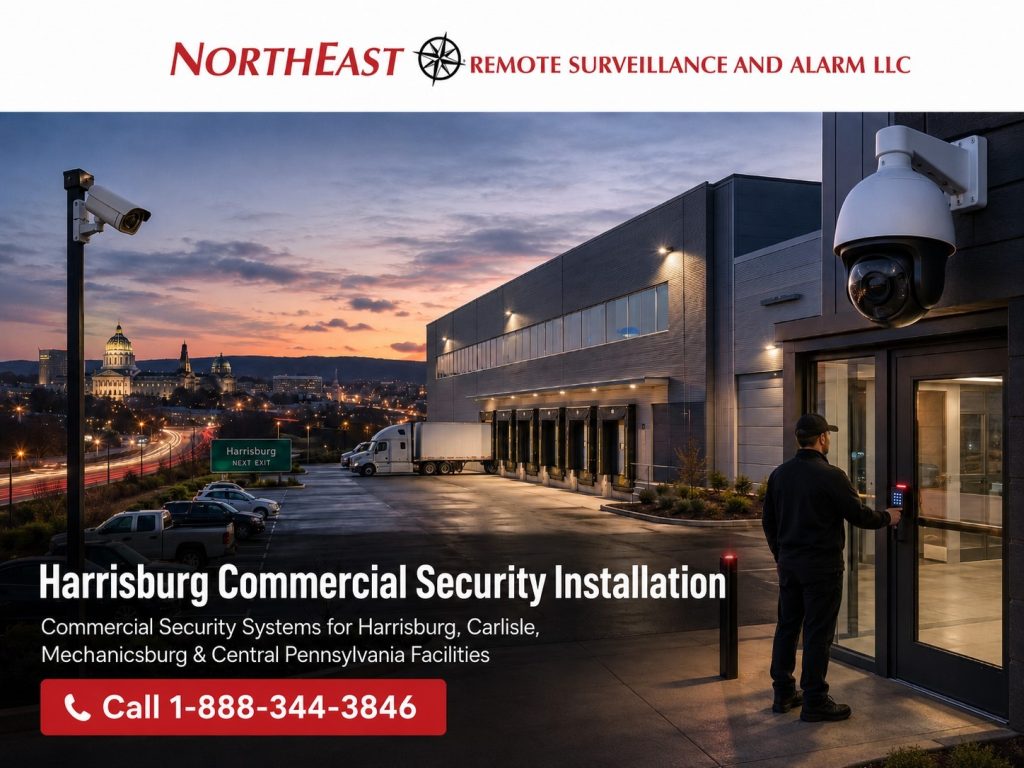
We design and install cameras, access control and intrusion alarms, with the cabling, programming, testing and user training included in the agreed scope.
For an existing Harrisburg system, we review camera and recorder compatibility, controlled-door hardware, alarm communications, wiring and administrator access before recommending repairs, a retrofit, provider takeover or phased upgrade.
Request a Harrisburg installation assessment with your site address, operating hours and current equipment details.
For coverage and coordinated projects beyond the city, use our Central Pennsylvania commercial security guide.
This Harrisburg guide focuses on selecting, installing, and upgrading the systems at an individual business property.
Northeast Remote Surveillance and Alarm, LLC designs and installs business and facility security systems for Harrisburg, Carlisle, Mechanicsburg, and Central Pennsylvania. We support warehouses, logistics properties, manufacturers, offices, schools, healthcare facilities, municipal buildings, retail operations, parking areas, and multi-site businesses.
To discuss a new installation or an existing-system problem, request a Harrisburg security assessment or call 1-888-344-3846.
Plan Your Harrisburg Commercial Security Installation
A dependable installation begins with how the property actually operates. We review entrances, loading docks, employee and visitor flow, restricted rooms, production areas, parking lots, yards, inventory, after-hours activity, network conditions, and current security equipment. The plan should solve defined problems rather than collect unrelated devices.
Commercial Security Camera Installation in Harrisburg
Camera design may cover entries, transactions, docks, aisles, gates, parking areas, perimeters, and critical processes. We select views around identification, awareness, investigation, and operational needs. Recording, retention, image quality, lighting, network capacity, remote access, and future expansion are addressed with camera placement.
For city-specific camera planning, see commercial video surveillance systems in Harrisburg, PA.
For the broader service scope, review our commercial video surveillance systems guide.
Choose the recorded task before the camera count
A camera installer should be able to explain what each proposed view will help your team understand. A wide parking-area view, an entrance view, and a receiving-area view solve different problems. Identify whether the task is general awareness, review of a handoff, or a closer view of activity at a particular point. Then evaluate the scene during the hours when that task matters.
For a Harrisburg warehouse, map driver check-in, employee doors, staging areas and dock positions separately. Identify which views need to show vehicle movement and which must support review of a freight handoff. Record delivery hours, lighting, trailer obstructions and mounting access before selecting cameras. These are assessment considerations, not claims about a completed local installation.
Verify playback and evidence retrieval
Ask how long the required recordings will be retained, who can retrieve them, and what the export process includes. Confirm the supported recording arrangement and storage design for the selected system. A high-resolution label does not establish that the intended activity is visible or that staff can find a useful record after an incident.
At acceptance, review a representative recorded event with the person who will use the system.
Check camera naming, time references, authorized access, and export.
Where selected events need operator attention, review the separate remote video monitoring and live talk-down service so coverage hours, review steps, and contacts are defined.
Access-Control Installation and Door Hardware
Keycards, fobs, mobile credentials, readers, controllers, locks, exit devices, door contacts, and intercoms must work as a complete opening. Permissions can be organized by person, department, tenant, door, site, and schedule. We coordinate hardware with egress, accessibility, fire, and building requirements that apply to the project.
Review each controlled opening
Start with the door or gate, the people using it, and the intended daily procedure. Record the existing lock, frame, closer, exit hardware, available power, and cable path. A reader is one part of the system. Different openings may need different work even when they use the same credential, so ask for a door schedule that identifies the scope at each location.
For leased or shared properties, establish who can approve changes and who owns the equipment and accounts.
The landlord may manage a common entrance while a tenant administers an interior office door.
Confirm those boundaries before planning credentials or installation.
For local door and credential planning, see commercial access control systems in Harrisburg, PA.
For the broader service scope, review commercial and industrial access-control installation.
Make user management part of the installation
Describe employee groups, contractor access, visitor entry, schedules, and the person responsible for removing access when circumstances change. Include temporary permissions and approved after-hours work. Ask the installer to demonstrate adding a user, assigning an appropriate schedule, and revoking or expiring a credential during handover.
Review cloud, on-premise, or hybrid administration against the business’s operating needs and IT responsibilities. Confirm the selected system’s behavior during a communication or power interruption, along with recurring services and account ownership. Do not assume that a product category alone establishes how a particular controlled opening will operate.
Commercial Alarm System Installation & Monitoring in Harrisburg, PA
Intrusion protection may include door contacts, motion detection, glass protection, overhead-door coverage, panic devices, environmental inputs, and communication supervision. Monitoring and notification workflows should match operating hours, responder lists, site priorities, and available verification. Alarm zones need clear names and regular testing.
Separate a notification to an employee from a contracted monitoring service. Identify the signal or event, the review available, the people to contact, and the expected escalation. Regular operations such as cleaning, late deliveries, and shift changes should be reflected in the agreed procedures. Coordinate tests with the responsible monitoring provider.
For local intrusion protection, see commercial alarm system installation in Harrisburg, PA.
For broader detection equipment, zoning, and communication planning, review commercial intrusion alarm installation.
For the service and response arrangements, use commercial alarm and security monitoring.
Fire and life-safety work needs its own review with the qualified professionals responsible for the property; the fire alarm and life-safety guide explains that separate scope.
Layer Systems Without Losing Simplicity
Surveillance, access control, intrusion alarms, and intercoms can share useful event context when compatible platforms and policies support integration. A forced-door event might link to nearby video; an access record may help locate footage; a monitored alarm may present a relevant camera. Integration should shorten investigations, not create more alerts to manage.
Build the Supporting Infrastructure
Commercial security depends on cabling, pathways, PoE switching, fiber, power supplies, UPS backup, internet connectivity, network segmentation, equipment rooms, and secure remote access. We coordinate with the customer’s IT team and document ownership of accounts, licenses, passwords, and cloud services.
Commercial Security Installation: Scope and Coordination
After the assessment, we define scope, equipment, locations, responsibilities, exclusions, and testing. Installation includes labeling, programming, device alignment, functional testing, administrator setup, and user training. Handoff documentation can include camera names, door schedules, alarm zones, network details, equipment locations, and service contacts.
A phased plan can correct urgent failures first, preserve compatible equipment, and add coverage as budgets or operations change.
Upgrade or Take Over an Existing Harrisburg Security System
Begin with an inventory rather than an automatic replacement recommendation. Identify cameras, recorders, controllers, readers, locks, alarm equipment, communication services, cabling, and accounts. Collect available records through the authorized property representative. Equipment that still performs its intended task may be useful, but condition, compatibility, support, and ownership must be established.
Ask the assessment to separate components suitable for reuse, items needing repair, and items requiring further investigation. Record why each replacement is proposed. An inherited system may have account-access problems or incomplete documentation even when the physical equipment operates. Those administrative issues belong in the transition plan alongside the installation work.
Keep the transition understandable to staff
Identify which functions must remain available while work proceeds and who will coordinate temporary arrangements. List the people who approve user permissions, changes to alarm contacts, and access to equipment rooms. If work affects an occupied entrance or monitored area, agree on the sequence and responsible contacts before the change takes place.
For a phased upgrade, define an acceptance check for each phase.
One phase might restore reliable entry and essential recording; a later phase might add yard coverage or unify administration.
Document temporary limitations and the capacity reserved for later work.
The security upgrade, retrofit, and takeover guide helps compare those choices.
Compare Installation Scope and Long-Term Cost
A useful Harrisburg commercial security installation proposal explains the installed result and what the customer must provide. Camera quantities and door counts are a starting point, not a complete basis for comparison. Ask for cable pathways, hardware changes, equipment locations, work access, programming, testing, and training to be visible. Separate recurring software, communication, monitoring, and support charges from initial installation.
- Equipment and purpose: which cameras, doors, alarm areas, and operating tasks are included?
- Existing components: what remains in service, what will be tested, and what limitations are retained?
- Infrastructure: who provides power, network connections, cable routes, and access to work areas?
- Installation conditions: which work windows, tenant approvals, or dependencies affect the schedule?
- Recurring services: what renews, who controls the account, and what happens when the scope expands?
- Handover: what documentation and user demonstrations are included?
Compare competing proposals using the same objectives. If one design contains more equipment, ask which additional task it serves. If a lower price assumes existing cabling or door hardware can be reused, ask how that assumption will be checked. A clear explanation lets the property team assess the tradeoff without relying only on a device list.
For a smaller office, shop, or service business, the Harrisburg and Central PA small-business guide focuses on practical priorities, leased-space coordination, and manageable growth.
A smaller project still needs clear ownership and support responsibilities; it does not necessarily need every available integration.
Harrisburg Commercial Security Installation and Handover
1. Establish the property requirements
Provide the address, building use, operating hours, known problems, and available drawings or equipment records. Include facilities and IT contacts and identify restrictions on access. Explain what staff need to do differently after the work: retrieve useful evidence, manage employee access, receive an appropriate alarm response, or support another building.
2. Review the scope and responsibilities
Connect each recommended function to an agreed operating need. Identify work assigned to NERSA, the customer, and any other contractors. Document exclusions and items that require further inspection. Review the installation sequence with the people who manage the building so work can be coordinated with visitors, production, deliveries, or tenant operations.
3. Install and configure the agreed system
The installation plan should cover mounting, pathways, equipment naming, programming, user setup, and coordination with related systems. Keep approved changes recorded as the work develops. A device list can change during a project, but the reason for the change and its effect on operation should remain clear to the owner.
4. Demonstrate the tasks that matter
Use representative recordings, controlled openings, and approved test events to verify the agreed result. The authorized customer should be able to find information, perform routine administration, and explain the support process. Coordinate any test affecting monitoring or another building system with the responsible provider. Record unresolved limitations and assign a follow-up owner.
5. Keep the system manageable
Retain equipment records, camera and door names, alarm-area information, account responsibilities, and service contacts.
Review permissions and call lists when staff change.
Revisit affected views or procedures when shelving, building use, schedules, or delivery routines change.
The documentation and handoff guide explains the records that support future maintenance.
Plan for the Building’s Operating Pattern
Offices and shared commercial buildings: distinguish reception, employee entrances, deliveries, common areas, and restricted rooms. Identify where owner and tenant responsibilities meet. A clear visitor procedure and manageable user permissions can matter as much as equipment selection.
Warehouses and logistics properties: separate vehicle arrival, driver check-in, loading activity, personnel entry, and exterior storage.
Ask which activities continue after office hours and who owns the response.
Use the distribution and logistics security guide for deeper facility planning.
Manufacturing facilities: review shifts, contractors, production areas, material movement, and restricted spaces.
Security cameras and door access support defined security tasks; they do not replace machine safeguards or process controls.
The manufacturing security guide connects these operating needs to relevant services.
Organizations with several Central Pennsylvania locations: identify common administration needs while documenting differences at each property. Use the Central Pennsylvania guide for regional coordination. Keep local installation decisions tied to the actual doors, camera scenes, infrastructure, and people responsible for each building.
Harrisburg Commercial Security Questions
Does NERSA serve Harrisburg businesses?
Yes. We support qualified commercial and industrial projects in Harrisburg and surrounding Central Pennsylvania markets.
Can existing equipment be reused?
Often. We assess condition, compatibility, ownership, cybersecurity support, and service life before recommending reuse.
Can cameras, alarms, and access control work together?
Yes, when the selected platforms, network design, and operating procedures support useful integration.
Do you install single-family home systems?
No. NERSA does not provide security installations for individual homes or single-family residences. We serve businesses, industrial and institutional facilities, and professionally managed apartment communities, including shared entrances, common areas, and grounds.
What should I ask a Harrisburg access-control installer?
Ask for a complete opening review, user and schedule plan, ownership of administration, recurring charges, and acceptance checks. Confirm the condition of existing hardware and the responsibilities for any work assigned to others. The proposal should explain how the selected design supports the way employees and visitors actually enter.
Can existing commercial cameras be improved without replacing them all?
Sometimes. Review the recorded task, camera position, lighting, recording arrangement, network, and account access before deciding. A focused correction may help a usable component, while another device may need replacement for a documented reason. Confirm compatibility and test retained functions within the proposed system.
Is remote viewing the same as professional monitoring?
No. Remote viewing lets an authorized user access supported camera functions. A monitoring service has an agreed event scope, review process, coverage hours, contacts, and response instructions. Make that distinction explicit in the proposal so the organization knows who is expected to act.
Request a Harrisburg Security Assessment
Use our security assessment form to plan a new installation, take over an inherited system, or modernize an existing Harrisburg-area property.
Compliance, Codes & Project Standards
NERSA plans commercial and industrial security work with applicable code, documentation, inspection and authority-having-jurisdiction requirements in mind. Requirements vary by system, property and jurisdiction. These resources support project planning; they do not establish legal compliance, certification or AHJ approval.
Related guidance: Regulatory compliance & inspection readiness · NERSA project standards · Documentation, testing & inspection readiness