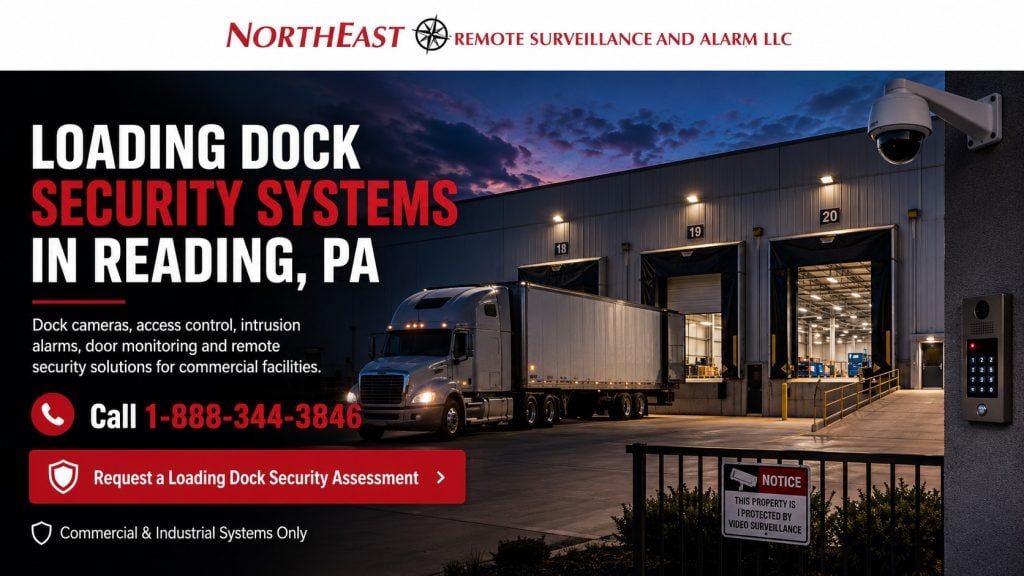
Loading Dock Security Systems in Reading, PA

Loading dock security systems in Reading, Pennsylvania should be designed around the daily movement of employees, drivers, contractors, trailers, forklifts, pallets, packages, inventory, overhead doors, and delivery vehicles through one of the most active areas of a commercial or industrial property.

Northeast Remote Surveillance and Alarm, LLC designs and installs loading dock cameras, access control, intrusion detection, driver intercoms, overhead-door monitoring, professional monitoring, remote video monitoring, commercial door hardware, and supporting low-voltage infrastructure for Reading warehouses, distribution centers, manufacturing plants, freight operations, and industrial facilities.

A properly designed system should help authorized personnel answer practical questions:

  • When did the truck arrive?
  • Which dock received the trailer?
  • Who entered through the dock-side personnel door?
  • When was the overhead door opened?
  • Was the trailer positioned correctly?
  • What pallet or package was moved?
  • Was the door left open after operations ended?
  • Which vehicle entered or left the property?
  • Is the activity normal, unauthorized, or occurring after hours?
  • Can relevant video be found and exported when a claim arises?

Loading dock security should not be reduced to one wide camera aimed toward several doors. Effective coverage may require separate views for trailers, drivers, dock openings, shipping desks, interior staging, personnel entrances, vehicle approaches, and after-hours detection.

For complete security planning throughout the property, visit Commercial Security System Installation in Reading, PA.

Request a Reading Loading Dock Security Assessment

Call 1-888-344-3846 to discuss loading dock security for a Reading commercial or industrial facility.

Commercial and industrial systems only • Dock cameras • Door monitoring • Driver entry • Alarm protection • Remote monitoring • Small operations through enterprise facilities

Loading dock security systems in Reading, PA featuring commercial surveillance cameras, access control, truck dock monitoring, intrusion protection, and a secured warehouse loading area

Loading Docks Require Their Own Security Plan

Loading docks combine several different security and operational conditions within a concentrated area:

  • Exterior vehicle activity
  • Open overhead doors
  • Dock-side personnel entrances
  • Drivers and vendors
  • Employees and temporary workers
  • Forklift traffic
  • Pallet and package movement
  • Shipping and receiving records
  • Staged inventory
  • Trailer arrivals and departures
  • After-hours activity
  • Changing lighting
  • Weather exposure
  • Long building sight lines

A general building-security layout may not provide the evidence required at the dock.

An exterior overview camera may show that a truck was present but fail to identify the driver. An interior camera may show pallet movement but not the trailer involved. A wide dock view may show several open doors but not the details of a damaged package or disputed delivery.

The completed design should identify what information management may need after an incident and position each device around that objective.

Define the Required Evidence Before Selecting Cameras

Every proposed loading dock camera should have a specific purpose.

Possible objectives include:

  • Showing the complete dock area
  • Identifying a driver
  • Recording a trailer’s position
  • Documenting an overhead door
  • Monitoring a dock-side personnel entrance
  • Reviewing shipping and receiving activity
  • Showing pallets entering or leaving
  • Monitoring staged freight
  • Recording a vehicle entrance
  • Detecting after-hours activity
  • Verifying an alarm
  • Supporting live remote intervention

One camera should not automatically be expected to accomplish every objective.

A practical layout may combine a wide overview with closer identification and transaction views.

Commercial Loading Dock Video Surveillance

Commercial Video Surveillance Systems in Reading, PA explains broader commercial camera design, image quality, recording, retention, analytics, remote access, and local, cloud-managed, or hybrid video platforms.

Loading dock surveillance may include:

  • Exterior trailer-position cameras
  • Interior dock-door cameras
  • Shipping and receiving desk cameras
  • Driver identification views
  • Dock-side personnel entrance cameras
  • Vehicle approach cameras
  • Staging-area coverage
  • Forklift-lane views
  • Multi-sensor overview cameras
  • Low-light exterior cameras
  • Dedicated license plate cameras
  • Cameras prepared for remote monitoring

Camera placement should consider the dock’s actual operation rather than a symmetrical layout based only on the number of doors.

Some docks may need one camera per door. Other facilities may use several wider views combined with dedicated identification cameras. Door spacing, ceiling height, trailer position, structural columns, dock equipment, lighting, and required detail all affect the design.

Exterior Trailer-Position Cameras

Exterior cameras can document trailers approaching, backing, parking, loading, and leaving.

Useful views may show:

  • Trailer number or markings
  • Tractor and trailer position
  • Dock assignment
  • Door alignment
  • Arrival and departure
  • Loading activity
  • Adjacent vehicles
  • After-hours trailer movement
  • Activity around trailer doors

Camera placement should account for vehicle headlights, building lighting, rain, snow, shadows, reflective trailer surfaces, and changing sun angles.

A camera mounted too high may provide a wide scene while losing useful vehicle or driver detail. A camera placed too close to the wall may lose visibility when a trailer is backed into the dock.

Interior Dock-Door Cameras

Interior cameras may document activity around the dock opening after the trailer has blocked the exterior view.

Interior coverage may show:

  • Overhead-door operation
  • Dock-leveler activity
  • Pallets entering or leaving
  • Forklift movement
  • Employees working near the opening
  • Trailer interiors where the angle permits
  • Staged freight
  • Unauthorized access through an open dock
  • Activity after operating hours

The camera should be positioned so stored inventory, open doors, dock equipment, and changing trailer positions do not routinely block the required view.

Driver Identification and Check-In

Drivers may enter through a shipping office, receiving vestibule, dock-side personnel door, vehicle gate, or exterior call station.

A driver-identification view should provide closer evidence than a general dock overview.

A coordinated entry may include:

  • Identification camera
  • Video intercom
  • Controlled personnel door
  • Door-position contact
  • Visitor procedure
  • Shipping-office communication
  • Remote release
  • Access-event recording
  • Nearby vehicle camera

The system should support a clear entry procedure rather than leaving drivers to enter through whichever door is open.

Shipping and Receiving Office Cameras

Shipping and receiving desks may be important transaction points.

Camera coverage may document:

  • Driver check-in
  • Paperwork exchange
  • Package condition
  • Employee and visitor interaction
  • Door release
  • Shipping assignments
  • Receiving exceptions
  • Disputed transactions
  • After-hours entry

A camera should be positioned to provide useful context without unnecessarily recording screens, confidential paperwork, or unrelated private information.

Staging and Freight-Movement Areas

Goods may be staged near dock doors before loading or after receiving.

Security planning may cover:

  • Inbound staging
  • Outbound staging
  • Damaged goods
  • Returns
  • High-value freight
  • Quarantine areas
  • Cross-dock transfers
  • Pallet wrapping
  • Temporary storage
  • Exception-handling locations

Cameras can support incident review, but they do not replace warehouse-management, barcode, inventory, shipping, or receiving systems.

The system may help show that a pallet moved through an area. It may not automatically determine the item quantity, ownership, shipment number, or inventory status.

Overhead-Door Monitoring

Commercial overhead doors may remain open during normal loading activity and require different security planning from ordinary personnel doors.

Monitoring may include:

  • Commercial overhead-door contacts
  • Open and closed status
  • After-hours alarm protection
  • Separate alarm schedules
  • Camera association
  • Extended-open notifications
  • Professional monitoring
  • Video verification

The system should distinguish ordinary dock operations from activity occurring outside approved schedules.

A door-open event during active receiving may be normal. The same event after the facility closes may require immediate review.

Dock Door Held-Open Conditions

A dock door may remain open because of:

  • Active loading
  • Ventilation
  • Employee convenience
  • A malfunction
  • A blocked opening
  • An incomplete closing procedure
  • Unauthorized after-hours use

The customer should establish:

  • When the dock may remain open
  • Which shifts or schedules apply
  • How long an extended-open condition is permitted
  • Who receives a notification
  • Whether nearby video is displayed
  • What response is expected
  • How false or unnecessary alerts are adjusted

Alerts that occur continuously during ordinary operations will eventually be ignored.

Dock-Side Personnel Door Access Control

Dock-side personnel doors may be used by employees, drivers, contractors, vendors, and maintenance personnel.

Access control can help the business manage:

  • Individual credentials
  • Shift-based access
  • Department permissions
  • Temporary driver or contractor entry
  • Door schedules
  • Forced-open alerts
  • Held-open alerts
  • Denied credential events
  • Former employee removal
  • Video associated with access activity

The reader is only one part of the opening.

The complete door, frame, lock, exit device, closer, controller, request-to-exit equipment, door-position contact, power supply, accessibility, and emergency operation must be evaluated.

A reader should not be installed as a substitute for correcting a door that fails to close, align, or latch.

Driver and Visitor Intercom Systems

Reading Commercial Intercom and Controlled Entry Systems addresses video intercoms, driver communication, gate stations, reception control, mobile answering, and approved remote release.

A loading dock intercom may allow authorized personnel to:

  • See the driver
  • Communicate before permitting entry
  • Confirm the delivery location
  • Direct the driver to the correct dock
  • Review the surrounding area
  • Release an approved door
  • Record the interaction
  • Answer from a shipping desk or mobile device
  • Manage after-hours arrivals

The intercom should be installed where a driver can reach it safely without standing in an active vehicle lane.

Audio quality, background noise, weather, mounting height, truck-engine noise, and accessibility should be considered.

Vehicle Gate Coordination

Reading Commercial Gate Access Control Systems will address vehicle operators, credentials, driver intercoms, cameras, safety devices, remote release, and event reporting.

Properties with controlled vehicle entrances may coordinate gate and dock activity through:

  • Driver intercoms
  • Vehicle credentials
  • Keypad entry
  • Long-range credentials
  • License plate recognition
  • Vehicle-overview cameras
  • Entry and exit schedules
  • Remote release
  • Visitor instructions
  • Dock-assignment procedures

Gate security should not be confused with dock security.

The gate controls entry to the property. Loading dock systems document and manage activity after the vehicle reaches the shipping or receiving area.

Truck and Trailer Yard Coordination

Reading Truck and Trailer Yard Security Systems will address truck courts, trailer storage, yard lanes, perimeter analytics, outdoor cameras, vehicle entrances, and after-hours monitoring.

The loading dock page remains focused on:

  • Dock doors
  • Trailer positions at the building
  • Shipping and receiving lanes
  • Dock-side personnel entrances
  • Freight staging
  • Driver communication
  • Dock-specific alarms and evidence

Truck-yard protection should own broader trailer parking, yard circulation, perimeter coverage, and remote exterior activity away from the building.

License Plate Recognition

Dedicated license plate recognition may be useful at vehicle entrances or controlled dock lanes.

Plate capture depends on:

  • Lane position
  • Camera angle
  • Mounting height
  • Distance
  • Vehicle speed
  • Lighting
  • Headlight exposure
  • Direction of travel
  • Plate size within the image
  • Expected stopping position

A wide dock or parking camera should not automatically be expected to capture readable plates.

A dedicated plate camera may be paired with a wider vehicle view so management can review the plate, tractor, trailer, and direction of travel.

Intrusion Detection Around Loading Docks

Loading docks can become vulnerable when the facility closes and overhead doors, side doors, trailer openings, and staging areas are no longer actively supervised.

After-hours protection may include:

  • Overhead-door contacts
  • Dock-side personnel door contacts
  • Interior motion detectors
  • Separate alarm partitions
  • Roof-hatch protection where applicable
  • Video verification
  • Exterior analytics
  • Communication-failure reporting
  • Professional monitoring

The alarm design should reflect the facility’s actual operating schedule.

A manufacturing plant may continue production while shipping closes. A distribution center may operate overnight. An office area may arm while dock operations continue.

Separate partitions and schedules may be required so active departments do not interfere with protection elsewhere.

Professional Alarm Monitoring

Reading Commercial Security Monitoring will address commercial alarm communication, contact lists, dispatch procedures, signal descriptions, opening and closing reports, and verification.

Monitoring procedures should clearly identify:

  • Which dock or door generated the event
  • Whether the event is alarm, trouble, or communication failure
  • Which cameras can assist with verification
  • Who receives calls or notifications
  • Which events result in dispatch
  • Which department is operating
  • Whether a guard or site contact is present
  • How procedures change by shift

Generic descriptions such as “rear door” become difficult to interpret when a building has dozens of dock and personnel doors.

Signal descriptions should identify the building, dock number, door type, or operating area clearly.

Remote Video Monitoring and Live Talk-Down

Reading Remote Video Monitoring and Live Talk-Down will address monitored cameras, analytics, operator review, exterior speakers, escalation procedures, and active after-hours intervention.

Remote video monitoring may be useful for docks experiencing:

  • After-hours trespassing
  • Trailer tampering
  • Unauthorized vehicle activity
  • Illegal dumping
  • Repeated door activity
  • Loitering
  • Theft attempts
  • Unauthorized loading
  • Activity around staged freight

A properly designed monitored system may allow trained operators to:

  • Review selected video events
  • Determine whether visible activity appears authorized
  • Issue live audio warnings
  • Contact approved personnel
  • Escalate according to site instructions
  • Request law-enforcement response when appropriate
  • Preserve information about the event

Remote monitoring requires more than turning on camera motion detection.

The site must be evaluated for:

  • Detection zones
  • Camera position
  • Image quality
  • Lighting
  • Network reliability
  • Speaker placement
  • Operating schedules
  • Authorized contacts
  • Expected response
  • False-event reduction

Loading Dock Lighting and Nighttime Images

A camera that performs well during daylight may provide poor evidence after dark.

Dock lighting may create:

  • Strong shadows
  • Dark trailer interiors
  • Bright wall fixtures
  • Headlight glare
  • Reflections from trailers
  • Overexposed dock doors
  • Rapid changes when doors open
  • Uneven lighting between lanes

Camera design may require:

  • Wide dynamic range
  • Low-light capability
  • Supplemental lighting
  • Different exposure settings
  • Separate interior and exterior cameras
  • More suitable mounting positions
  • Dedicated plate cameras
  • Lighting adjustments

A minimum-lux specification alone does not guarantee useful nighttime evidence.

The completed image should be evaluated under the actual lighting and movement conditions expected at the dock.

Recording Retention for Dock Investigations

Loading dock incidents may not be discovered immediately.

Examples include:

  • A damage claim reported after delivery
  • A missing pallet found during a later count
  • A disputed arrival or departure time
  • An employee incident reported several days later
  • A carrier complaint
  • A returns dispute
  • An inventory shortage
  • A trailer seal question
  • A loading error discovered by the customer

Retention should reflect the business’s normal investigation cycle.

Storage planning may consider:

  • Number of cameras
  • Resolution
  • Frame rate
  • Compression
  • Scene activity
  • Continuous or event-based recording
  • Required retention
  • Future camera additions
  • Cloud limits
  • Available bandwidth
  • Evidence-preservation procedures

A recorder should not be sized only by its camera-channel count.

Continuous and Event-Based Recording

Continuous recording may be appropriate for:

  • Active dock doors
  • Shipping desks
  • Receiving areas
  • Driver entrances
  • High-volume staging areas
  • Locations where missed activity is unacceptable

Event-based recording may conserve storage in lower-activity exterior areas, but it must be configured carefully.

Poorly designed event rules can result in:

  • Missed activity
  • Excessive recording
  • Unnecessary alerts
  • Reduced retention
  • Difficulty locating relevant footage

Many commercial systems use a combination of continuous and event-supported recording.

Video Playback and Evidence Export

Authorized users should be able to locate and export dock footage without depending on the installer for every incident.

Clear camera names may include:

  • Receiving – Dock 03 Exterior
  • Receiving – Dock 03 Interior
  • Shipping – Driver Entrance
  • Shipping – Desk Overview
  • North Dock – Trailer Approach
  • Warehouse – Outbound Staging
  • Dock 12 – Personnel Door
  • East Yard – Dock Lane

The customer should be able to:

  • Search by date and time
  • Select the correct dock
  • Review synchronized cameras
  • Slow or advance playback
  • Export a defined segment
  • Capture a still image
  • Verify exported files
  • Preserve incident footage
  • Record which cameras supported the investigation

Default names such as “Camera 8” or “Channel 14” become difficult to manage as the system expands.

AI Video Analytics at Loading Docks

AI-supported analytics may help identify:

  • People
  • Vehicles
  • Direction of travel
  • Entry into defined areas
  • Loitering
  • After-hours activity
  • Vehicle classifications
  • Line crossing
  • Activity near stored freight
  • Movement around closed dock doors

Analytics should support a defined objective.

A useful rule might detect a person approaching closed dock doors after hours. An overly broad rule may create constant events from forklifts, shadows, trailers, rain, headlights, or normal shipping activity.

The project should define:

  • Which event matters
  • Where detection applies
  • When the rule is active
  • Who receives the event
  • Whether video verification is required
  • What response is expected
  • How unnecessary alerts will be adjusted

Low-Voltage Cabling and Network Infrastructure

Loading dock cameras, intercoms, door controllers, speakers, alarm devices, and wireless links depend on dependable infrastructure.

A project may require:

  • Cat6 or Cat6A
  • Fiber
  • Alarm wiring
  • Reader and lock wiring
  • Intercom cabling
  • Speaker cabling
  • Conduit
  • Cable tray
  • Managed PoE switches
  • Equipment cabinets
  • UPS equipment
  • Security power supplies
  • Wireless bridges
  • Surge-protection review
  • Cable and device labeling

Dock environments may expose equipment to:

  • Temperature changes
  • Moisture
  • Dust
  • Vehicle exhaust
  • Vibration
  • Impact
  • Long distances
  • Exterior conditions
  • Electrical interference

Equipment and pathways should be selected for the actual environment.

PoE and Network Capacity

A switch may have enough physical ports while lacking enough total PoE power for every connected device.

Higher-power dock equipment may include:

  • PTZ cameras
  • Multi-sensor cameras
  • Heated outdoor cameras
  • Video intercoms
  • IP speakers
  • Wireless bridges

The design should review:

  • Device power requirements
  • Total PoE budget
  • Network bandwidth
  • Recorder traffic
  • Remote viewing
  • Analytics
  • Uplink capacity
  • Backup power
  • Future additions

A high-resolution camera connected through weak or unstable infrastructure remains unreliable.

Integrating Loading Dock Security Systems

Compatible systems may be integrated when the integration improves administration, response, or incident review.

Possible workflows include:

  • Displaying video when an overhead door opens
  • Recording a dock-side forced-door event
  • Associating a driver intercom call with video
  • Showing cameras during an alarm event
  • Linking a credential event with a personnel-door camera
  • Associating gate entry with dock arrival
  • Sending selected after-hours events for remote review
  • Centralizing several dock areas or buildings

Integration should solve a defined problem.

It should not add unnecessary software, licensing, or dependencies simply because two platforms can be connected.

Loading Docks in Distribution Centers

Reading Distribution Center Security Systems covers complete logistics operations involving receiving, picking, packing, shipping, employee entrances, truck courts, trailer storage, gates, and centralized administration.

Use the distribution-center resource when the project extends beyond the dock into:

  • High-volume fulfillment
  • Picking and packing
  • Inventory staging
  • Employee access
  • Truck courts
  • Trailer yards
  • Vehicle gates
  • Multiple departments
  • Centralized operations

Use this loading dock page when the primary concern is dock doors, trailer positions, driver entry, shipping and receiving lanes, staged freight, and dock-specific incident evidence.

Loading Docks in Manufacturing Facilities

Manufacturing Security Systems in Reading, PA addresses complete plant security involving production areas, employee entrances, tool rooms, access permissions, alarms, parking, gates, and multiple shifts.

Manufacturing dock design may need to account for:

  • Raw-material deliveries
  • Finished-goods shipments
  • Production schedules
  • Shift changes
  • Maintenance deliveries
  • Hazardous or controlled materials
  • Quality-control holds
  • Continuous operations
  • Separate office and plant schedules

This page remains focused on the dock itself rather than the complete manufacturing property.

Loading Docks in Warehouses

Reading Warehouse Security Systems addresses overall warehouse protection involving aisles, inventory, employee entrances, overhead doors, exterior areas, alarms, and access control.

Warehouse dock security may be one part of a broader facility design.

The loading dock page should own dock-specific cameras, driver entry, door monitoring, freight staging, trailer positions, and incident documentation without duplicating the full warehouse-security intent.

New Loading Dock Systems Versus Existing-System Upgrades

This page owns new loading dock security-system design and expansion in Reading.

Existing docks with aging, inherited, unsupported, unreliable, or poorly documented systems should begin with Reading Commercial Security System Upgrades, Retrofits, and Takeovers.

Reading Security Camera System Upgrades and Retrofits addresses camera replacement, analog-to-IP migration, DVR-to-NVR modernization, retention, remote access, and phased video improvements.

Existing equipment may not be suitable for expansion when:

  • Camera views are unusable
  • The recorder is unsupported
  • Retention is inadequate
  • Video export is unreliable
  • Administrator access is unavailable
  • The network lacks capacity
  • Cabling is damaged
  • Remote access is insecure
  • Door hardware is failing
  • Alarm descriptions are inaccurate
  • Monitoring contacts are outdated
  • The platform cannot support additional devices

Existing equipment should be retained because it remains dependable, compatible, secure, and supportable—not merely because it is already installed.

Loading Dock Security Installation Process

1. Initial Consultation

NERSA discusses the dock operation, building, shifts, drivers, doors, trailers, shipping procedures, current concerns, existing systems, and future plans.

2. Dock Assessment

The assessment may review:

  • Dock-door count
  • Trailer positions
  • Driver entrances
  • Shipping and receiving desks
  • Personnel doors
  • Staging areas
  • Vehicle approaches
  • Lighting
  • Camera locations
  • Ceiling height
  • Cabling routes
  • Network rooms
  • Existing equipment
  • Available power
  • Monitoring procedures

3. Define the Required Evidence

Each camera and device is assigned a purpose, such as overview, identification, trailer documentation, door monitoring, alarm verification, or remote intervention.

4. Design the Complete System

The design identifies cameras, recording, retention, door contacts, access control, intercoms, alarms, monitoring, cabling, power, network capacity, and integrations.

5. Prepare a Written Scope

The customer should receive a clear scope identifying equipment, installation, software, licensing, assumptions, responsibilities, exclusions, and optional work.

6. Coordinate Installation

Work can be organized around loading schedules, shifts, active dock doors, vehicle traffic, lift access, and available downtime.

7. Program and Test

Testing may include:

  • Camera views
  • Day and nighttime images
  • Recording
  • Playback
  • Evidence export
  • Door contacts
  • Access credentials
  • Forced-open events
  • Held-open events
  • Alarm zones
  • Monitoring signals
  • Intercom communication
  • Remote viewing
  • Analytics
  • Backup power

8. Train Authorized Personnel

Training may cover live viewing, playback, export, event review, door alerts, monitoring contacts, user permissions, and incident preservation.

9. Complete the Handoff

Handoff may include camera names, dock-door descriptions, user accounts, retention information, monitoring contacts, equipment locations, known limitations, and future recommendations.

What Affects Loading Dock Security Cost?

Project cost depends on:

  • Number of dock doors
  • Number and type of cameras
  • Required image detail
  • Driver entrance requirements
  • Intercom stations
  • Controlled personnel doors
  • Commercial locking hardware
  • Overhead-door contacts
  • Alarm partitions
  • Monitoring
  • Remote video monitoring
  • Outdoor speakers
  • Recording retention
  • Software and licensing
  • Network and PoE capacity
  • Cabling distances
  • Fiber requirements
  • Ceiling height
  • Lift access
  • Exterior installation
  • Lighting
  • Number of buildings
  • Work-hour restrictions
  • Existing infrastructure
  • Project phasing

A four-door warehouse dock has a different scope from a forty-door distribution facility with several driver entrances, trailer lanes, gate integration, extended retention, and remote monitoring.

A site-specific assessment is required for an accurate proposal.

Common Loading Dock Security Mistakes

Relying on One Wide Camera

A wide overview may show activity without identifying the driver, package, pallet, or door involved.

Mounting Cameras Too High

Excessive height may provide broad coverage while reducing useful identification detail.

Ignoring the Interior View

A trailer can block an exterior camera after it reaches the dock. Interior cameras may be required to document loading activity.

Ignoring Nighttime Performance

Daytime images do not establish whether the system will provide useful evidence after dark.

Expecting General Cameras to Read Plates

Reliable license plate capture normally requires a dedicated view.

Using Generic Camera and Alarm Names

Names such as “Dock Camera” or “Rear Door” are inadequate when the facility has many similar locations.

Failing to Monitor Personnel Doors

Employees or drivers may bypass overhead-door controls through adjacent personnel entrances.

Allowing Repeated Held-Open Alerts

Poorly configured alerts can produce excessive notifications that employees eventually ignore.

Ignoring Network and Power Capacity

Insufficient PoE, weak cabling, unstable wireless links, or inadequate backup power can interrupt cameras and monitoring.

Failing to Plan Retention

Dock claims and inventory issues may be discovered after the relevant footage has already been overwritten.

Treating Access Control as Inventory Tracking

A credential record shows activity at a door; it does not identify every item moved through the dock.

Failing to Document Administrator Control

Unknown passwords, shared accounts, and former-contractor ownership create long-term service problems.

Maintenance and Lifecycle Planning

Loading dock security systems should be reviewed periodically.

Maintenance may include:

  • Confirming cameras are online
  • Reviewing camera positions
  • Cleaning lenses and housings
  • Checking nighttime images
  • Testing recording
  • Confirming retention
  • Testing playback and export
  • Inspecting door contacts
  • Reviewing held-open events
  • Testing controlled personnel doors
  • Reviewing alarm zones
  • Testing monitoring signals
  • Testing intercoms
  • Checking outdoor speakers
  • Reviewing analytics
  • Testing remote access
  • Checking switches and PoE
  • Testing UPS equipment
  • Updating user accounts
  • Updating camera and zone names
  • Reviewing system documentation

Dock equipment may shift or deteriorate because of vibration, weather, impact, dust, moisture, temperature changes, forklifts, trailers, maintenance work, or building movement.

New racks, signs, stored freight, equipment, or dock procedures may also obstruct views that were previously effective.

Why Reading Businesses Choose NERSA

Commercial and Industrial Experience Since 2008

Northeast Remote Surveillance and Alarm, LLC has served non-residential properties since 2008.

Dock-Focused Planning

The design considers trailers, drivers, dock doors, shipping desks, personnel entrances, staged freight, lighting, recording, and after-hours activity.

Complete-System Evaluation

Cameras, access control, intrusion alarms, monitoring, intercoms, door hardware, cabling, networks, power, and documentation are considered together.

Small Operations Through Enterprise Facilities

NERSA supports smaller commercial docks as well as large warehouses, manufacturing plants, distribution centers, multi-building campuses, and regional organizations.

New Systems and Existing-System Support

Services include new installations, expansions, inspections, maintenance, repairs, upgrades, provider takeovers, integration, and phased modernization.

Practical Installation Phasing

Projects can be coordinated around loading schedules, employee shifts, shipping deadlines, active dock positions, and available downtime.

Documented Customer Control

Authorized customer personnel should understand who controls the system, how users are managed, how events are reviewed, and how future support will be provided.

Reading and Nearby Commercial Areas Served

NERSA supports loading dock security projects in:

  • Reading
  • West Reading
  • Wyomissing
  • Shillington
  • Laureldale
  • Temple
  • Muhlenberg Township
  • Exeter Township
  • Spring Township
  • Cumru Township
  • Sinking Spring
  • Mount Penn
  • Kenhorst
  • St. Lawrence
  • Nearby Reading and Berks County industrial areas

For facilities outside the city, begin with the broader Greater Reading Area commercial and industrial security resource.

Frequently Asked Questions About Reading Loading Dock Security

What does a loading dock security system include?

A system may include dock cameras, driver identification views, overhead-door contacts, access control, personnel-door monitoring, intercoms, professional monitoring, video analytics, and remote video monitoring.

How is loading dock security different from warehouse security?

Loading dock security focuses on dock doors, trailer positions, shipping and receiving lanes, driver entry, staged freight, personnel doors, and dock-specific incident evidence. Warehouse security covers the complete storage building.

How is loading dock security different from truck-yard security?

Loading dock security focuses on activity at the building. Truck-yard security covers trailer storage, truck courts, perimeter areas, yard lanes, and vehicle activity away from the dock.

How many cameras does a loading dock need?

Camera count depends on the number of doors, spacing, trailer positions, required evidence, lighting, mounting locations, driver entry, and interior staging areas.

Does every dock door need its own camera?

Not always. Some facilities can use wider multi-door views combined with closer identification cameras. Other docks require one or more dedicated views per opening.

Should cameras be installed inside and outside?

Many facilities benefit from both. Exterior cameras show trailers and approaches, while interior cameras document activity after a trailer blocks the exterior view.

Can cameras identify drivers?

Yes, when a dedicated identification view is positioned at the check-in point, intercom, personnel entrance, or another predictable location.

Can loading dock cameras read license plates?

Dependable plate capture normally requires a dedicated camera positioned around the vehicle lane, speed, distance, angle, and lighting.

Can cameras document pallets and packages?

Properly positioned cameras can provide useful evidence, but they do not replace warehouse-management, barcode, shipping, or inventory systems.

Can overhead loading doors be alarmed?

Yes. Commercial contacts, partitions, schedules, cameras, and monitoring can be coordinated around normal operating procedures.

Can the system show when a dock door is left open?

Yes. Door-position monitoring may generate open, forced-open, or extended-open information when the system is configured appropriately.

Can personnel doors beside the dock use access control?

Yes. Readers, individual credentials, door contacts, forced-open alerts, and nearby cameras can be installed where the complete opening is suitable.

Can drivers use an intercom instead of entering the building?

Yes. A video intercom may allow drivers to communicate with shipping or receiving personnel and receive instructions or approved entry.

Can dock cameras integrate with access control?

Yes. Compatible systems may associate video with credential events, denied access, forced doors, or held-open conditions.

Can cameras integrate with the intrusion alarm?

Yes. Selected dock alarms may trigger recording, notifications, camera display, or video verification.

Can NERSA monitor the loading dock after hours?

Yes. Suitable sites may use analytics, operator-reviewed events, live audio warnings, and documented escalation procedures.

Can the system alert us when someone approaches closed dock doors?

Possibly. Properly positioned cameras and analytics may detect selected person or vehicle activity during defined schedules.

How long should loading dock video be retained?

Retention should reflect how long it normally takes to discover shipping claims, inventory discrepancies, damage, employee incidents, or trailer questions.

Continuous recording may be appropriate at active dock doors and shipping areas. Other locations may use event-based or combined recording.

Can employees view dock cameras remotely?

Yes, when secure remote access is included. Individual accounts and role-based permissions should be used.

Can different managers see different cameras?

Yes. Permissions may be limited by facility, department, camera group, live viewing, playback, export, or administration.

Can loading dock security be installed while the facility remains open?

Many projects can be phased around active doors, shipping schedules, employee shifts, and vehicle traffic.

Can the project be completed in phases?

Yes. Priority dock doors, driver entrances, cameras, alarms, intercoms, or infrastructure may be completed first.

Can existing cameras and wiring be reused?

Possibly. Existing equipment should be evaluated for condition, compatibility, cybersecurity, manufacturer support, and long-term reliability.

Can NERSA take over an existing dock security system?

Sometimes. Takeover depends on authorized access, equipment ownership, licenses, system condition, manufacturer restrictions, and supportability.

Does NERSA support a small facility and a large distribution center?

Yes. NERSA supports smaller commercial docks as well as manufacturing plants, warehouses, multi-building distribution centers, and enterprise operations.

What documentation should the customer receive?

Depending on the project, documentation may include camera names, dock-door descriptions, user permissions, alarm zones, monitoring contacts, retention information, equipment locations, and administrator details.

How much does loading dock security cost?

Cost depends on the dock count, cameras, doors, alarms, intercoms, monitoring, recording retention, cabling, networking, lighting, lift access, and project phasing.

How should a Reading business begin?

Begin with a loading dock assessment covering dock operations, trailer positions, driver entry, shipping and receiving, lighting, infrastructure, required evidence, and after-hours procedures.

Request a Reading Loading Dock Security Assessment

Loading dock security should be designed around the activity occurring at the dock—not around a generic camera count.

Northeast Remote Surveillance and Alarm, LLC can evaluate:

  • Dock-door cameras
  • Trailer-position views
  • Driver identification
  • Shipping and receiving desks
  • Interior staging
  • Overhead-door monitoring
  • Dock-side personnel doors
  • Access control
  • Video intercoms
  • Alarm partitions
  • Professional monitoring
  • Remote video monitoring
  • License plate capture
  • Lighting
  • Recording retention
  • Evidence export
  • Cabling and fiber
  • Network and PoE capacity
  • Existing-system modernization
  • Future expansion

Whether the project involves several dock doors or a large multi-building shipping and receiving operation, NERSA can develop a practical system around the property’s current requirements and long-term growth.

For complete Reading security-system planning, visit Commercial Security System Installation in Reading, PA.

For complete logistics-facility planning, visit Reading Distribution Center Security Systems.

Call 1-888-344-3846 to request a Reading loading dock security assessment.

Commercial and industrial systems only • Dock cameras • Door monitoring • Driver entry • Professional monitoring • Small operations through enterprise facilities

Scroll to Top
1-888-344-3846