
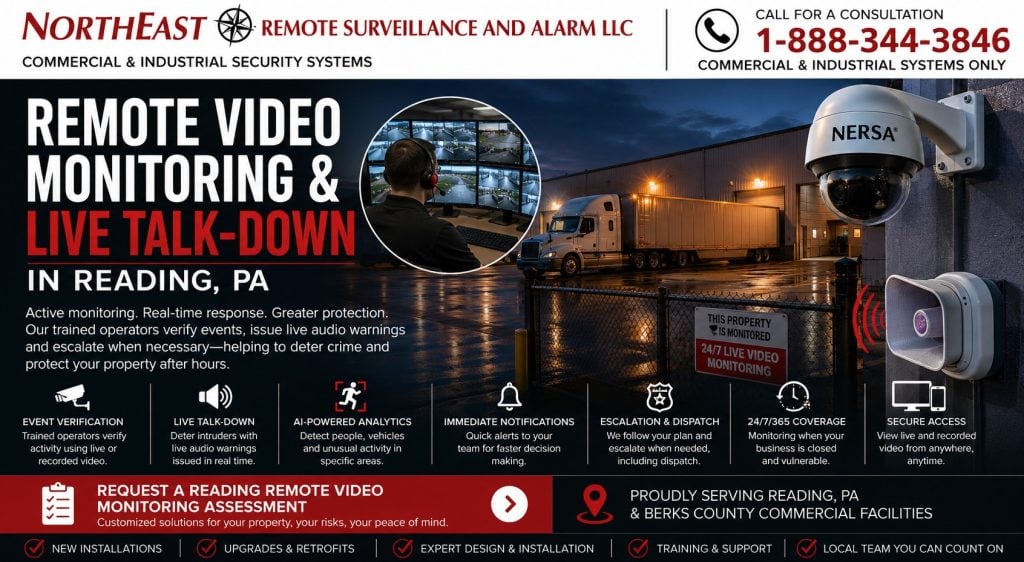
Remote video monitoring and live talk-down in Reading, PA combine selected event detection, operator verification, audio intervention, and documented response procedures for commercial properties.

request a commercial security assessment
For related monitoring services, return to Reading Commercial Security Monitoring.
Plan the Monitored Response
Northeast Remote Surveillance and Alarm, LLC designs and installs monitored video systems throughout Reading. We serve warehouses, manufacturers, distribution centers, commercial buildings, industrial campuses, and other business or professionally managed properties. Coverage may include docks, truck and trailer yards, contractor yards, parking, gates, and outdoor storage.
A conventional camera system may record an incident for later review. Remote monitoring can send selected events to a trained operator as they occur. The operator can review the video, issue an approved live or recorded warning, and escalate the event according to the customer’s documented instructions.
The system should be designed around practical questions:
- Which activity should generate an event?
- When should monitoring be active?
- Which cameras provide useful verification?
- Can the operator identify a person, vehicle, or activity?
- Is live audio appropriate for the location?
- Who should be contacted?
- Which events may require dispatch?
- What happens when authorized employees are working after hours?
- How will false and unnecessary events be reduced?
- What information should be preserved after the incident?
Remote monitoring should not be added as an afterthought to poorly positioned cameras, inadequate lighting, unreliable networks, or unclear response procedures.
For broader camera-system design, visit Commercial Video Surveillance Systems in Reading, PA.
For complete citywide security planning, visit Commercial Security System Installation in Reading, PA.
Passive Recording Versus Active Video Monitoring
Passive video surveillance records activity for authorized personnel to review later.
That approach may be appropriate when the customer’s primary goal is:
- Incident investigation
- Employee or visitor documentation
- Delivery review
- Liability evidence
- Operational review
- Video associated with access events
- General property visibility
Remote video monitoring adds an active response layer to selected events.
Depending on the approved system and monitoring plan, the process may include:
- A camera or analytic detects activity.
- The event is transmitted for review.
- A trained operator examines live or recorded event video.
- The operator determines whether the activity appears authorized, harmless, suspicious, or urgent.
- An approved live or prerecorded audio warning may be issued.
- Designated customer contacts may be notified.
- The event may be escalated according to documented procedures.
- Relevant information may be preserved for later review.
Not every camera needs active monitoring.
Interior operational cameras, general office views, or continuously occupied areas may remain recording-only while selected gates, yards, docks, fence lines, parking areas, and exterior doors receive active monitoring during defined schedules.
Remote Monitoring Is More Than Motion Alerts
Ordinary camera notifications may send a mobile alert whenever movement occurs.
Those alerts can quickly become difficult to manage when the system repeatedly reports:
- Headlights
- Shadows
- Rain
- Snow
- Animals
- Moving vegetation
- Insects
- Reflections
- Employees
- Delivery drivers
- Normal vehicle movement
- Changing lighting
- Equipment operating within the scene
Remote video monitoring should use a more structured process.
The design should identify:
- The object or activity being detected
- The exact monitored area
- The monitoring schedule
- Authorized exceptions
- The operator response
- Audio-warning procedures
- Notification contacts
- Escalation instructions
- Event-priority levels
- How repeated unwanted events will be corrected
The objective is not to generate the greatest possible number of alerts. The objective is to generate events that can be reviewed and acted upon meaningfully.
Properties That May Benefit From Remote Video Monitoring
Remote video monitoring may be appropriate where valuable assets, exterior exposure, recurring after-hours activity, limited staffing, or large outdoor areas create risks that passive recording alone does not address.
Reading Contractor Yards
Reading Contractor Yard Security Systems covers equipment compounds, fleet vehicles, tools, materials, vehicle gates, perimeter protection, monitored cameras, and active after-hours deterrence.
Contractor yards may contain:
- Excavators and compact equipment
- Service vehicles
- Trailers
- Generators
- Tools
- Copper and electrical materials
- Pipe and fittings
- Fuel
- Jobsite materials
- Outdoor storage
- Detached shops
- Remote fence lines
Remote monitoring may help review selected activity near equipment, gates, material storage, shops, and perimeter areas after employees leave.
Reading Truck and Trailer Yards
Reading Truck and Trailer Yard Security Systems covers truck courts, trailer rows, gate lanes, vehicle identification, perimeter analytics, exterior audio, and monitored yard protection.
Monitoring may be useful for:
- Activity between trailers
- Perimeter entry
- Trailer-door activity
- Unauthorized vehicles
- Cargo-theft concerns
- Fuel areas
- Remote parking rows
- Container storage
- After-hours pedestrian activity
- Repeated trespassing
Changing trailer positions and large distances must be considered when monitoring cameras and detection zones are planned.
Reading Loading Docks
Reading Loading Dock Security Systems covers dock cameras, trailer positions, personnel doors, overhead-door monitoring, driver entry, freight staging, and after-hours dock activity.
Remote monitoring may support docks where:
- Doors remain vulnerable after closing
- Trailers remain staged overnight
- Freight is stored near dock openings
- Drivers arrive outside normal hours
- Personnel doors are repeatedly propped open
- Unauthorized activity occurs near loading areas
- Exterior dock approaches are difficult to supervise
The monitoring schedule should distinguish normal shipping activity from after-hours events.
Reading Distribution Centers
Reading Distribution Center Security Systems covers shipping, receiving, fulfillment, employee entrances, truck courts, trailer storage, gates, and centralized logistics security.
Distribution facilities may use monitored video around:
- Truck entrances
- Trailer areas
- Shipping and receiving doors
- Exterior staging
- Remote building sections
- Employee parking
- Perimeters
- Closed dock areas
- High-value freight
- After-hours access points
Monitoring should complement—not replace—the facility’s shipping, receiving, inventory, access, and employee procedures.
Reading Warehouses
Reading Warehouse Security Systems covers complete warehouse protection involving cameras, access control, alarms, docks, overhead doors, exterior areas, and inventory spaces.
Warehouse monitoring may focus on:
- Exterior doors
- Loading docks
- Trailer areas
- Parking lots
- Gates
- Fence lines
- Outdoor inventory
- Detached storage
- Low-staffed building sections
- After-hours activity
Interior warehouse cameras may remain recording-only unless a defined monitored event and response procedure justify active review.
Reading Manufacturing Facilities
Manufacturing Security Systems in Reading, PA covers production areas, employee entrances, tool rooms, shipping, parking, gates, multiple shifts, and integrated plant security.
Manufacturing plants may use monitored video for:
- Exterior equipment
- Raw-material storage
- Finished-goods yards
- Truck courts
- Remote buildings
- Employee parking
- Fence lines
- Vehicle gates
- Closed loading areas
- After-hours perimeter activity
Production schedules and maintenance work must be reflected accurately so authorized activity does not create unnecessary events.
Reading Commercial Parking Areas
Reading Commercial Parking Lot Security Cameras covers parking overviews, pedestrian paths, vehicle movement, entrances, low-light performance, and incident evidence.
Remote monitoring may be appropriate for selected parking areas experiencing:
- Trespassing
- Vehicle break-ins
- Loitering
- Unauthorized gatherings
- After-hours vehicle activity
- Illegal dumping
- Employee safety concerns
- Repeated access to rear entrances
Monitoring should not be presented as a guarantee against crime or vehicle damage. It provides event review, deterrence opportunities, and a clearer response process.
Reading Vehicle Gates
Reading Commercial Gate Access Control Systems covers gate operators, vehicle credentials, intercoms, safety devices, cameras, remote release, and event reporting.
Monitored gate events may include:
- Unauthorized approach
- Tailgating concerns
- Forced gate movement
- Vehicle entry outside approved hours
- Unrecognized pedestrian activity
- Intercom calls
- Repeated denied access
- Gate left open
- Activity around a closed entrance
Gate safety and emergency operation remain separate requirements and must be addressed as part of the complete vehicle-control system.
How a Monitored Video Event May Work
The exact workflow depends on the cameras, analytics, monitoring provider, site rules, service plan, and customer-approved response procedures.
A typical event may follow this sequence.
1. Activity Occurs
A person, vehicle, or other configured event enters a monitored area during an active schedule.
2. The System Applies the Detection Rule
The camera, recorder, server, cloud platform, or analytic evaluates whether the activity matches a configured event.
Possible rules may include:
- Person enters a defined area
- Vehicle crosses a virtual line
- Activity occurs near stored equipment
- Person approaches a closed gate
- Movement occurs around parked trailers
- Vehicle enters a restricted lane
- Activity occurs during a closed schedule
3. Event Video Is Sent for Review
The monitoring platform provides associated images, video clips, or live camera access according to the system design.
4. The Operator Reviews the Activity
The operator evaluates the visible event within the limits of the camera view and available information.
The operator may determine that the activity is:
- Clearly authorized
- Apparently harmless
- Uncertain
- Suspicious
- Urgent
- Outside the approved schedule
5. Audio Intervention May Occur
Where appropriate equipment and procedures are in place, the operator may issue:
- A live verbal warning
- A prerecorded message
- A request to leave the property
- A direction to use the approved entrance
- A notice that the property is monitored
6. The Event Is Escalated
According to the customer-approved plan, the operator may:
- Continue observing
- Contact an on-site employee
- Contact a designated manager
- Contact a guard service
- Request an appropriate response
- Escalate through the monitoring provider’s established process
7. Event Information Is Preserved
The system may retain associated clips, event information, operator actions, timestamps, or notes according to the platform and service.
The customer should understand exactly which information is available after an event and how long it is retained.
Camera Placement for Remote Monitoring
A camera suitable for general recording is not automatically suitable for event verification.
A monitoring camera should provide enough useful context for the operator to determine what is occurring.
Planning should consider:
- Detection distance
- Identification distance
- Camera angle
- Mounting height
- Field of view
- Lighting
- Expected person or vehicle path
- Scene obstructions
- Weather
- Network bandwidth
- Event transmission
- Audio coverage
- Adjacent camera views
A camera mounted extremely high may detect movement while failing to show useful person or vehicle detail.
A wide camera may provide general context but require a second camera for identification.
A practical monitoring design may pair:
- A wide overview camera
- A closer identification camera
- A dedicated vehicle camera
- A license plate camera
- A PTZ camera for operator investigation
- A thermal camera for selected detection areas
Detection Cameras and Verification Cameras
One camera may detect the event while another provides better visual verification.
For example:
- A thermal camera detects a person near a remote fence line.
- A visible-light camera provides clothing, direction, and scene detail.
- A wide camera shows the complete event.
- A PTZ camera gives the operator a closer live view.
Using separate detection and verification views can improve monitoring performance in large or difficult areas.
The design should identify which device generates the event and which camera helps the operator understand it.
AI-Supported Video Analytics
AI-supported analytics may help classify visible objects or activity.
Possible functions include:
- Person detection
- Vehicle detection
- Direction of travel
- Line crossing
- Entry into a defined area
- Loitering
- Vehicle classification
- After-hours activity
- Appearance-based search where supported
- Movement near selected equipment
- Activity around closed doors or gates
Analytics should support a defined business need.
A useful rule may detect a person entering a fenced equipment area after closing. An ineffective rule may generate continuous events from employees, headlights, snow, rain, animals, or normal vehicle traffic.
Analytics performance depends on:
- Camera position
- Image quality
- Lighting
- Detection size
- Object visibility
- Scene movement
- Obstructions
- Weather
- Platform configuration
- Software support
No analytic should be represented as infallible.
Reducing Unnecessary Monitoring Events
A monitored system should be reviewed and adjusted after commissioning.
Unwanted events may be caused by:
- Moving branches
- Flags
- Headlights
- Reflections
- Rain
- Snow
- Insects
- Animals
- Steam
- Exhaust
- Water
- Employees
- Scheduled deliveries
- Cleaning crews
- Maintenance work
- Shifting trailers
- Forklifts
- Automatic doors
Event reduction may involve:
- Adjusting detection zones
- Changing schedules
- Excluding public roads
- Changing object classifications
- Adjusting minimum object size
- Repositioning cameras
- Improving lighting
- Correcting camera movement
- Trimming vegetation
- Changing escalation rules
- Updating authorized activity schedules
The system should be tuned around real operating conditions rather than left at generic default settings.
Monitoring Schedules and Authorized Activity
Remote monitoring may be active:
- Continuously
- Overnight
- On weekends
- During holidays
- During plant shutdowns
- During selected closed periods
- Around particular yard sections
- At specific gates
- During temporary risk periods
The approved monitoring scope should define the actual coverage.
Facilities with several shifts or changing schedules need a dependable process for reporting authorized after-hours activity.
The process may address:
- Maintenance crews
- Early deliveries
- Late drivers
- Snow removal
- Cleaning personnel
- Contractors
- Emergency repairs
- Inventory counts
- Management visits
- Special events
- Temporary schedule changes
A system that cannot distinguish expected activity from unauthorized activity will create unnecessary interventions.
Live Talk-Down and Audio Intervention
Live talk-down allows a trained operator to communicate through approved exterior or interior speakers.
A warning may:
- Inform the person that the property is monitored
- Direct the person to leave
- Request that the visitor use the approved entrance
- Tell a driver to contact the shipping office
- Warn against entering a restricted area
- Provide an approved safety or security instruction
Live audio should be used through a documented process.
The project should determine:
- Which areas receive audio
- Whether live or prerecorded messages are used
- Which events allow intervention
- Who controls the speakers
- What wording is approved
- Whether nearby properties may hear the message
- What volume is appropriate
- How operator actions are documented
- What happens after the warning
- Which events should not receive audio intervention
Outdoor Speaker Design
Speaker placement should account for:
- Area size
- Building reflections
- Vehicle and machinery noise
- Wind
- Nearby properties
- Mounting height
- Weather exposure
- Network availability
- Amplifier requirements
- Power
- Intelligibility
- Maintenance access
A speaker that is loud near the building may be unintelligible at the perimeter.
Several lower-volume zones may provide clearer communication than one extremely loud speaker.
The design should prioritize understandable messages rather than maximum volume.
Video Verification and Intrusion Alarms
Reading Commercial Intrusion Alarm Systems covers new commercial alarm panels, door protection, motion detection, partitions, communication, panic devices, and professional monitoring.
Remote video may support verification of selected alarm activity.
Possible workflows include:
- A dock-door contact activates and nearby video appears.
- A perimeter event sends associated camera views.
- A forced personnel door triggers recording and review.
- An exterior alarm event is examined before escalation.
- A gate alarm is associated with vehicle video.
- A motion event in a closed building section displays nearby cameras.
Video verification does not eliminate the need for dependable alarm sensors, accurate zone descriptions, monitoring communication, or customer response procedures.
Commercial Alarm Monitoring Versus Remote Video Monitoring
Reading Commercial Security Monitoring covers intrusion-alarm communication, monitoring contacts, dispatch procedures, opening and closing reports, and account administration.
Commercial alarm monitoring generally begins with a panel signal from a door contact, motion detector, panic device, or other alarm point.
Remote video monitoring generally begins with a camera, analytic, or video-related event.
The two services may be coordinated, but they are not identical.
A property may use:
- Intrusion alarm monitoring without active video
- Remote video monitoring without a building alarm event
- Video verification for selected alarm signals
- Both systems working together under one response plan
The customer should understand which platform generated the event and which response procedure applies.
Gate Access, Intercoms and Remote Release
Remote monitoring may be coordinated with access-controlled vehicle entrances.
Possible functions include:
- Reviewing an intercom call
- Identifying the driver
- Confirming the vehicle
- Reviewing a license plate
- Checking the surrounding lane
- Releasing an approved gate
- Recording the entry event
- Monitoring the gate after closing
- Detecting a forced or held-open gate
Reading Commercial Intercom and Controlled Entry Systems covers video intercoms, visitor communication, gate stations, mobile answering, and remote release.
Remote release should follow a clear authorization procedure. Seeing a person or vehicle on camera does not automatically establish that entry should be granted.
License Plate Recognition and Vehicle Monitoring
Reading License Plate Recognition Camera Systems covers dedicated plate capture, vehicle-lane design, camera angle, speed, lighting, recording, and search.
Plate information may provide context for monitored gate and yard events.
A coordinated vehicle event may include:
- Plate image
- Vehicle overview
- Driver camera
- Intercom activity
- Gate event
- Direction of travel
- Time and date
- Associated monitoring actions
A general monitoring camera should not automatically be expected to provide reliable plate capture.
Lighting for Remote Video Monitoring
Monitoring performance depends heavily on nighttime image quality.
Poor lighting may prevent an operator from determining:
- Whether the object is a person or shadow
- Which direction someone is moving
- Whether the person is carrying something
- Which vehicle is present
- Whether activity is authorized
- What is happening near a gate or door
Lighting review may consider:
- Pole fixtures
- Building lights
- Gate lights
- Dock lights
- Parking-lot illumination
- Dark spaces behind trailers
- Glare
- Headlights
- Reflections
- Shadows
- Photocell operation
- Timers
- Fixtures that turn off after business hours
Improving lighting may increase monitoring value more effectively than relying solely on higher camera resolution.
Low-Light and Thermal Monitoring
Low-light cameras may provide more useful visible detail in dim scenes.
Thermal cameras may support detection where visible lighting is limited.
Thermal imaging can help identify heat contrast from people or vehicles, but it may not provide:
- Facial identification
- Clothing color
- Vehicle color
- License plates
- Detailed object recognition
A thermal camera may generate the event while a visible-light camera helps the operator understand the scene.
PTZ Cameras for Operator Investigation
Pan-tilt-zoom cameras may allow a monitoring operator to inspect different areas after an event.
PTZ cameras may support:
- Perimeter investigation
- Yard observation
- Vehicle tracking
- Gate review
- Trailer-row inspection
- Live response
A PTZ camera records only the direction it is viewing at that moment.
Fixed cameras should continue covering critical evidence points while the PTZ is being controlled.
PTZ cameras should supplement, not replace, dependable fixed coverage.
Remote Monitoring Network Requirements
Remote video monitoring depends on reliable event transmission.
Network planning may include:
- Available upload bandwidth
- Event clip size
- Live video requirements
- Camera count
- Network segmentation
- Managed switching
- PoE capacity
- Internet stability
- Backup communication
- Firewall coordination
- Secure remote access
- Monitoring platform requirements
- Time synchronization
- System-health reporting
An unreliable internet connection can interrupt live review or event delivery even when cameras continue recording locally.
The design should establish what happens during a communication outage.
Low-Voltage Infrastructure
Reading Commercial Low-Voltage Cabling and Security Infrastructure covers new Cat6, fiber, managed PoE switching, pathways, cabinets, wireless bridges, UPS equipment, and documentation.
A monitored video project may require:
- Cat6 or Cat6A
- Fiber between buildings
- Fiber to gates
- Outdoor-rated cabling
- Managed PoE switches
- Secure equipment cabinets
- Wireless bridges
- Cellular backup
- UPS equipment
- Speaker wiring
- Intercom cabling
- Surge-protection review
- Device labeling
A high-quality camera cannot overcome failing cable, unstable wireless links, insufficient PoE power, or an overloaded network.
Power and System Continuity
Monitoring may depend on:
- Cameras
- PoE switches
- Recorders
- Servers
- Internet equipment
- Wireless bridges
- Fiber equipment
- Speakers
- Intercoms
- Gate controllers
- Alarm panels
- Monitoring communicators
Backup planning may include:
- UPS equipment
- Panel batteries
- Network-switch backup
- Recorder shutdown procedures
- Generator coordination
- Communication backup
- Restart testing
- Surge-protection review
The system should be tested after a power interruption to confirm that devices, networking, recording, audio, and monitoring communication return to normal operation.
Cybersecurity and Remote Access
Monitored camera systems are network-connected technology.
Cybersecurity planning may include:
- Unique device credentials
- Removal of default passwords
- Individual user accounts
- Role-based permissions
- Multi-factor authentication where available
- Secure remote access
- Network segmentation
- Supported firmware
- Encryption where supported
- Cloud-account ownership
- Removal of former users
- Backup procedures
- Administrator documentation
- Manufacturer support status
Shared administrator passwords should be avoided.
The customer should know:
- Who owns the monitoring account
- Who owns the cloud platform
- Who may view cameras
- Who may export footage
- Who may change analytics
- Who may alter response instructions
- How former users are removed
- How administrator access is transferred
Local, Cloud-Managed and Hybrid Architecture
Remote video monitoring may use local, cloud-managed, or hybrid technology.
Local Recording With Remote Monitoring
Cameras may record locally while selected events are transmitted for monitoring.
This can preserve local operation during some internet interruptions while remote review remains dependent on communication.
Cloud-Managed Monitoring
A cloud-managed platform may support:
- Remote administration
- Event delivery
- Health monitoring
- User management
- Multi-site access
- Software updates
It may also involve:
- Subscription fees
- Internet dependency
- Bandwidth requirements
- Manufacturer-specific licensing
- Retention limits
- Cloud-account ownership requirements
Hybrid Systems
A hybrid architecture may combine:
- Local recording
- Cloud event management
- Remote operator review
- Selected cloud storage
- Local system operation
- Multi-site administration
The correct architecture depends on the property, camera count, retention, internet reliability, cybersecurity, IT support, and long-term service requirements.
Multi-Site Remote Video Monitoring
Reading Multi-Site Commercial Security Systems covers newly designed centralized security for organizations operating several properties.
Multi-site monitoring may establish consistent:
- Camera standards
- Analytics rules
- Monitoring schedules
- Response procedures
- Contact lists
- Speaker messaging
- Escalation instructions
- User permissions
- Camera naming
- Event reporting
- Service responsibilities
Centralized monitoring does not require every location to have identical risks or schedules.
Each property should retain site-specific instructions while following appropriate companywide standards.
Unified Commercial Security Management
Reading Unified Commercial Security Systems covers coordinated management of cameras, access control, intrusion alarms, intercoms, gates, monitoring, and multiple buildings.
Useful integrations may include:
- Associating monitored video with an alarm event
- Displaying video during an intercom call
- Linking a gate credential to vehicle video
- Sending a forced-door event for review
- Connecting plate capture with an entrance event
- Centralizing several properties
- Applying consistent user permissions
- Coordinating event notifications
Integration should solve a defined operating problem.
It should not create unnecessary licensing, unsupported dependencies, or an environment that authorized customer personnel cannot understand.
Response Procedures and Site Instructions
A monitoring system is only as useful as the response plan supporting it.
Site instructions may identify:
- Property name and address
- Monitored areas
- Active schedules
- Authorized activities
- Restricted zones
- On-site contacts
- After-hours contacts
- Escalation order
- Audio-warning rules
- Gate-release restrictions
- Dispatch procedures
- Special hazards
- Areas operators should not address through speakers
- Temporary schedule-change procedures
Instructions should be reviewed when:
- Employees change
- Contractors are added
- Shifts change
- Buildings expand
- Gate procedures change
- Yard layouts change
- Monitoring hours change
- New cameras are added
- Contact information changes
- The property’s risks change
Outdated instructions can create delays, unnecessary interventions, or incorrect notifications.
Remote Monitoring Does Not Guarantee Prevention
Remote video monitoring may improve awareness, verification, deterrence, and response coordination.
It cannot guarantee:
- That every event will be detected
- That every analytic will classify activity correctly
- That every camera will have an unobstructed view
- That communication will never fail
- That audio will stop an intruder
- That contacts will always answer
- That law enforcement will respond within a particular time
- That theft, vandalism, injury, or property damage will not occur
Camera placement, lighting, analytics, networks, power, human review, customer procedures, and external response all affect the outcome.
The system should be presented as one part of the property’s complete security plan—not as a guarantee against loss.
When Remote Video Monitoring May Not Be Appropriate
Active monitoring may not be the correct solution when:
- Cameras cannot provide useful verification
- Lighting is inadequate and cannot be corrected
- Internet communication is unreliable
- The property has constant authorized activity that cannot be scheduled
- Detection areas cannot be separated from public roads
- Speaker use would be inappropriate
- The customer has no defined response procedure
- Contact information cannot be maintained
- Existing cameras are unsupported
- Administrator control is unavailable
- Monitoring costs exceed the value of the intended response
- Passive recording already satisfies the defined objective
In these situations, the customer may require better passive surveillance, access control, intrusion detection, lighting, physical barriers, or infrastructure before active monitoring is considered.
New Monitoring Systems Versus Existing-System Upgrades
This service covers new remote video monitoring and live talk-down design in Reading.
Existing camera systems being converted to monitored video should use Reading Remote Video Monitoring Upgrades.
That assessment should evaluate:
- Existing camera positions
- Image quality
- Nighttime performance
- Analytics capability
- Recorder or platform compatibility
- Event transmission
- Internet reliability
- Speaker placement
- Audio equipment
- User accounts
- Administrator access
- Monitoring schedules
- Response instructions
- Cabling
- PoE
- Backup power
- Documentation
Reading Security Camera System Upgrades and Retrofits covers broader camera replacement, analog-to-IP migration, recorder modernization, retention, remote-access corrections, and phased video improvements.
Reading Commercial Security System Upgrades, Retrofits, and Takeovers addresses existing cameras together with alarms, monitoring, access control, door hardware, cabling, networks, accounts, and documentation.
Existing equipment should be retained only when it remains compatible, secure, dependable, and supportable.
Remote Video Monitoring Installation Process
1. Initial Consultation
NERSA discusses the property, current risks, hours, existing cameras, problem areas, desired response, monitoring expectations, and future plans.
2. Site Assessment
The assessment may review:
- Gates
- Parking areas
- Docks
- Yards
- Fence lines
- Exterior doors
- Remote buildings
- Equipment storage
- Trailer areas
- Lighting
- Camera locations
- Speaker locations
- Network equipment
- Internet service
- Power
- Existing alarms
- Existing intercoms
3. Define Monitored Events
Each proposed event should have a clear definition.
Examples include:
- Person enters the contractor yard after closing
- Vehicle enters the outbound lane during restricted hours
- Person approaches closed loading doors
- Movement occurs near parked trailers
- Person crosses the rear fence line
- Activity occurs near exterior equipment
- Gate remains open beyond the approved period
4. Define the Response
The customer and monitoring plan should establish:
- Whether the operator observes first
- Whether audio is permitted
- Which wording is approved
- Who receives notification
- What escalation order applies
- Which events may lead to dispatch
- How authorized activity is handled
- How temporary schedule changes are reported
5. Design Cameras, Analytics and Audio
The design identifies:
- Detection cameras
- Verification cameras
- Speaker zones
- Camera objectives
- Monitoring schedules
- Analytics rules
- Lighting corrections
- Network requirements
- Recording and retention
- Backup power
- Approved integrations
6. Prepare a Written Scope
The customer should receive a defined scope identifying:
- Equipment
- Camera locations
- Speaker locations
- Platform
- Monitoring coverage
- Response assumptions
- Software and licensing
- Subscriptions
- Cabling
- Networking
- Power
- Customer responsibilities
- Exclusions
- Optional work
7. Install and Configure
The cameras, analytics, audio, networking, recording, and monitoring connection are installed and configured according to the approved scope.
8. Test Events and Audio
Testing may include:
- Person detection
- Vehicle detection
- Event transmission
- Operator video access
- Live audio
- Prerecorded messages
- Speaker intelligibility
- Daytime images
- Nighttime images
- Contact notifications
- Alarm integration
- Gate integration
- Communication loss
- Backup power
9. Establish Site Instructions
Contacts, schedules, response procedures, authorized exceptions, and escalation rules are documented.
10. Review and Adjust
Monitoring events should be reviewed after the system operates under real conditions.
Analytics, schedules, camera positions, and escalation procedures may require adjustment.
What Affects Remote Video Monitoring Cost?
Project and recurring costs may depend on:
- Number of monitored cameras
- Monitoring hours
- Event volume
- Property size
- Camera types
- Analytics licenses
- Cloud subscriptions
- Monitoring service plan
- Speaker count
- Audio zones
- Intercoms
- Required recording retention
- New camera installation
- Camera poles
- Lighting improvements
- Cabling
- Fiber
- Wireless bridges
- Internet upgrades
- Cellular backup
- Network switching
- PoE requirements
- UPS equipment
- Number of locations
- Alarm integration
- Gate integration
- Response procedures
- Project phasing
Monitoring one gate and one outdoor equipment area has a smaller scope than monitoring a large logistics campus. Several yards, many cameras, multiple speaker zones and continuous schedules add requirements. Central administration also needs planning.
A site-specific assessment is required before dependable project and recurring service costs can be established.
What the Customer Should Receive
Depending on the project, handoff may include:
- Monitored-camera list
- Camera names and locations
- Monitoring schedules
- Detection-zone descriptions
- Speaker-zone information
- Approved audio procedures
- Contact lists
- Escalation instructions
- Recording-retention information
- Authorized user accounts
- Administrator information
- Platform ownership
- Equipment locations
- Network notes
- Known limitations
- Service information
- Future recommendations
Documentation helps prevent the monitoring system from becoming dependent on one employee, former contractor, or undocumented account.
Maintenance and Ongoing Review
Remote video monitoring systems should be reviewed periodically.
Maintenance may include:
- Confirming cameras are online
- Reviewing camera positions
- Cleaning lenses and housings
- Testing nighttime images
- Reviewing detection performance
- Adjusting analytics
- Testing event transmission
- Testing live audio
- Checking speaker intelligibility
- Reviewing monitoring schedules
- Updating contacts
- Removing former users
- Testing recording and retention
- Testing playback and export
- Checking switches and PoE
- Testing wireless links
- Testing UPS equipment
- Reviewing software support
- Updating site instructions
- Updating documentation
Property conditions may change because of:
- New buildings
- Added trailers
- Different material storage
- New fencing
- Landscaping
- Lighting changes
- Seasonal conditions
- Construction
- Camera movement
- Network changes
- New employee schedules
- Different vehicle routes
Monitoring design should evolve when the property changes.
Why Reading Businesses Choose NERSA
Commercial and Industrial Experience Since 2008
Northeast Remote Surveillance and Alarm, LLC has provided commercial security and low-voltage services since 2008.
Assessment Before Monitoring
NERSA evaluates cameras, analytics, lighting, networks, audio, schedules, contacts, and response procedures before treating a property as monitoring-ready.
Commercial-Only Planning
NERSA focuses on business and professionally managed properties rather than consumer camera notifications or single-family home alarm packages.
Complete-System Evaluation
Cameras, analytics, intrusion alarms, access control, gates, intercoms, speakers, cabling, networking, power, users, and documentation are considered together.
Small Properties Through Enterprise Operations
NERSA supports smaller commercial properties as well as warehouses, manufacturing plants, distribution centers, multi-acre yards, campuses, and multi-location organizations.
New Systems and Existing-System Support
Services include new monitored systems, monitoring-readiness assessments, camera upgrades, network corrections, speaker installation, alarm verification, integration, and phased modernization.
Practical Monitoring Procedures
Monitoring is planned around actual hours, authorized activity, property layout, customer contacts, and defined escalation expectations.
Documented Customer Control
Authorized customer personnel should understand who controls the platform, how users are managed, what is monitored, and how response instructions are maintained.
Reading and Nearby Commercial Areas Served
NERSA supports remote video monitoring and live talk-down projects in:
- Reading
- West Reading
- Wyomissing
- Shillington
- Laureldale
- Temple
- Muhlenberg Township
- Exeter Township
- Spring Township
- Cumru Township
- Sinking Spring
- Mount Penn
- Kenhorst
- St. Lawrence
- Nearby Reading and Berks County commercial areas
For projects elsewhere in Berks County, begin with the Greater Reading Area commercial and industrial security resource.
Frequently Asked Questions About Reading Remote Video Monitoring
What is remote video monitoring?
Remote video monitoring sends selected camera or analytic events for review so a trained operator can examine the video and respond according to approved procedures.
What is live talk-down?
Live talk-down allows an authorized monitoring operator to issue an audio warning through installed speakers after reviewing an event.
How is remote video monitoring different from recording?
Passive surveillance records activity for later review. Remote monitoring adds event detection, operator review, and an active response process.
How is remote video monitoring different from phone alerts?
Phone alerts generally notify the customer directly. Remote monitoring sends selected events to trained operators for review under an established service and response plan.
Is remote video monitoring the same as alarm monitoring?
No. Alarm monitoring generally begins with a panel signal. Remote video monitoring generally begins with a camera or video event. The services may work together.
Does every camera need monitoring?
No. Monitoring should be applied to cameras and areas where active event review provides a meaningful benefit.
What properties benefit from live monitoring?
Contractor yards, truck yards, loading docks, parking areas, vehicle gates, warehouses, distribution centers, manufacturing facilities, exterior storage, and repeat trespassing areas may benefit.
Can monitoring operate only at night?
Yes. Monitoring schedules may be limited to nights, weekends, holidays, shutdowns, or other approved periods.
Can remote monitoring operate continuously?
Coverage depends on the approved service scope, monitoring plan, platform, and recurring service arrangement.
Can monitoring distinguish people from vehicles?
Supported analytics may classify people and vehicles, but performance depends on camera placement, image quality, lighting, obstructions, and configuration.
Can analytics eliminate false alarms?
No. Analytics can reduce some unwanted activity, but no detection method is perfect. Ongoing adjustment may be required.
Can operators speak to trespassers?
Yes, when appropriate speakers, monitoring service, site instructions, and approved procedures are included.
Are the audio warnings live or prerecorded?
The system may use live, prerecorded, or combined messages depending on the platform and approved response plan.
Can speakers cover an entire yard?
Possibly, but large or noisy properties may require several speaker zones. Coverage should be tested for intelligibility.
Can the system contact police?
Escalation and dispatch depend on the monitoring service, visible event, customer-approved procedures, applicable requirements, and the response provider’s policies.
Does remote monitoring guarantee that theft will be stopped?
No. Remote monitoring may improve detection, verification, deterrence, and response coordination, but it cannot guarantee prevention.
Can monitoring work with an intrusion alarm?
Yes. Selected alarm events may display nearby video or be verified through compatible monitored cameras.
Can monitoring work with access control?
Yes. Forced doors, held-open doors, denied credentials, and selected access events may be associated with nearby video.
Can monitoring work with vehicle gates?
Yes. Gate events, intercom calls, vehicle views, credentials, and plate cameras may be coordinated.
Can monitoring use license plate cameras?
Yes. Dedicated plate cameras may provide vehicle information at monitored entrances or exits.
Can existing cameras be monitored?
Possibly. Existing cameras, analytics, platform support, network reliability, lighting, administrator access, and image quality must be evaluated first.
Do existing cameras need speakers?
Live talk-down requires suitable audio equipment. Cameras without speakers may still support video verification or operator review.
What internet service is required?
Requirements depend on camera count, event transmission, live viewing, platform, video quality, and monitoring design. Available upload bandwidth and reliability must be reviewed.
What happens if the internet fails?
Local cameras may continue recording when designed to do so, but remote event delivery and live intervention may be interrupted. The result depends on the architecture.
Can cellular backup be used?
Cellular backup may be appropriate for selected systems, but bandwidth, event volume, platform compatibility, signal quality, and recurring cost must be evaluated.
Can monitoring be used across multiple properties?
Yes. Compatible systems may centralize monitoring schedules, contacts, event procedures, and camera access across several locations.
Can employees work after hours without triggering intervention?
Yes, when authorized schedules, exceptions, or procedures are communicated and configured properly.
What happens when schedules change?
The customer should have an approved process for reporting temporary or permanent schedule changes to the appropriate monitoring and system administrators.
Can monitoring be installed while the business remains open?
Many projects can be phased around normal operations. The schedule depends on cameras, networking, audio, access, and testing requirements.
How much does remote video monitoring cost?
Cost depends on monitored cameras, coverage hours, event volume, monitoring service, analytics, speakers, networking, licenses, subscriptions, and the property’s response plan.
Does NERSA provide remote monitoring for small businesses?
Yes. A smaller commercial property may monitor one or several critical exterior areas, while larger facilities may require many cameras and speaker zones.
How should a Reading business begin?
Begin with a monitoring-readiness assessment covering the property, existing cameras, lighting, network, monitored areas, schedules, audio, contacts, and desired response.
Request a Reading Remote Video Monitoring Assessment
Remote video monitoring should be designed around the events the customer needs reviewed and the response expected when those events occur.
Northeast Remote Surveillance and Alarm, LLC can evaluate:
- Existing and proposed cameras
- Gates
- Loading docks
- Parking areas
- Contractor yards
- Truck and trailer yards
- Exterior storage
- Fence lines
- Remote buildings
- Low-light conditions
- Video analytics
- Thermal detection
- Live audio
- Speaker placement
- Intrusion-alarm verification
- Access-control events
- Gate and intercom integration
- Monitoring schedules
- Contact lists
- Escalation procedures
- Internet reliability
- Cabling and fiber
- Network and PoE capacity
- Backup power
- Multi-site administration
- Existing-system upgrades
- Future expansion
Whether the project involves one monitored entrance or a multi-building industrial property with several yards and speaker zones, NERSA can develop a practical monitoring plan around the site’s operating conditions and response requirements.
For broader commercial camera planning, visit Commercial Video Surveillance Systems in Reading, PA.
For existing camera-system monitoring readiness, visit Reading Remote Video Monitoring Upgrades.
Call 1-888-344-3846 or request a commercial security assessment.
Compliance, Codes & Project Standards
NERSA plans commercial and industrial security work with applicable code, documentation, inspection and authority-having-jurisdiction requirements in mind. Requirements vary by system, property and jurisdiction. These resources support project planning; they do not establish legal compliance, certification or AHJ approval.
Related guidance: Regulatory compliance & inspection readiness · NERSA project standards · Documentation, testing & inspection readiness