
NERSA provides commercial and industrial access control system installation in Pennsylvania and selected Mid-Atlantic markets for building doors, gates and restricted areas.

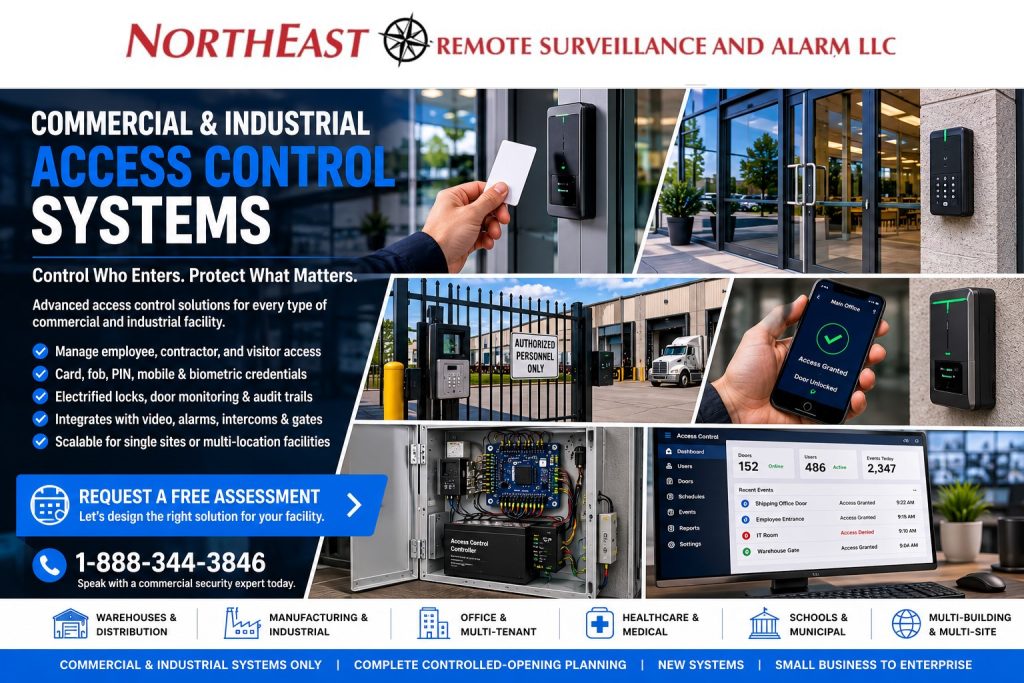
Our commercial access control installation scope starts with the complete door opening—locks, readers, controllers, power, low-voltage cabling, credentials and permissions—rather than readers alone. We also include adjustments to the specified doors, hinges, latches and closers, followed by programming, egress checks, operational testing and customer handover.
Planning a new commercial access control installation or comparing installers?
Before comparing prices, confirm the number and condition of controlled openings, lock and exit-device requirements, credential types, power and network needs, software licensing, programming ownership, and acceptance testing.
Start with the installation scope and proposal checklist, review access-control cost factors, or request an assessment with your door list and existing equipment details.
Complete Hardware Installation and Door Adjustments Included
Northeast Remote Surveillance and Alarm, LLC (NERSA) handles the complete controlled opening, not just the reader or locking device. Standard hinge adjustments, latch and strike alignment, and door-closer adjustments needed for reliable closing, latching and access-control operation are included free, at no additional charge, as part of commercial access control installation. Replacement hardware, damaged doors or frames, and major repairs beyond standard adjustments are separately scoped and quoted before additional work.
Before handover, we test credential operation, authorized entry, door closing, latching, and required safe exit operation. Standard hinge, latch, strike, and closer adjustments are checked during handover and carry no separate adjustment labor charge.
Explore Access Control by System or Location
Looking for commercial access control installation near you? NERSA serves commercial and industrial properties in Pennsylvania and selected Mid-Atlantic markets. Use the local guides below to review your area and the system guides to plan doors, readers, credentials and administration. Include your facility address and existing equipment when requesting an assessment so we can confirm service availability and installation scope.
For a local project, use commercial access control installation in Philadelphia to plan employee entrances, shared tenant doors, restricted rooms, credentials, and existing-system upgrades.
This general service guide covers access-control functions across our service areas.
- Hayward turnstile sales, installation, and integration — NERSA is an authorized Hayward Turnstiles dealer providing installation and access-control integration for full-height and optical pedestrian lanes, accessible gates and credential-controlled entry.
- Door card reader installation & access control systems — review controlled entry, credentials, and day-to-day administration.
- Access control upgrades and takeovers — evaluate existing controllers, readers, credentials and door hardware before replacing equipment.
- Managed access control — plan credential administration, controller health, reporting and long-term support.
- Warehouse and logistics access control — coordinate employee doors, dock offices, shifts and restricted warehouse areas.
- Small-business access control — plan employee entrances, stockrooms, user permissions and changes as the business grows.
- Enterprise access control systems — coordinate identity, permissions, audit trails and multi-building administration.
- Access-control door hardware guide — understand the hardware and installation considerations behind a controlled opening.
- Electrified door hardware lifecycle planning — prepare for maintenance, replacement, and future changes.
- Lehigh Valley commercial access control — regional installation, controlled-door hardware, credentials, gates, administration, upgrades, and multi-site planning.
- Allentown access control, Bethlehem access control, and Easton access control — explore local commercial installation and upgrade options.
Plan Who Can Enter, Where, and When
NERSA designs, installs, upgrades, integrates and supports business and facility access control. We serve warehouses, manufacturers, offices, healthcare properties, schools, municipalities and industrial sites. Other projects include contractor facilities, commercial campuses, multi-tenant buildings and multi-location organizations.
Planning begins with people and operations: employees, visitors, contractors, tenants, administrators, delivery personnel, restricted areas, operating schedules, emergency procedures, and employee turnover.
Access control replaces some key-management problems with a system that must still be administered responsibly.
For local door, credential, and schedule planning, see commercial access control in Lancaster.
Choose Credentials, Users, and Permissions
Systems may use cards, fobs, PINs, mobile credentials, smart credentials, or selected biometric methods depending on the platform, property, risk, privacy requirements, and operating workflow. The credential should be chosen after user volume, issuance, replacement, revocation, shared-device practices, and recurring costs are understood.
- Assign individual users when practical instead of sharing credentials.
- Limit access by door, area, schedule, role, tenant, department, or location.
- Define temporary access and automatic expiration for contractors or visitors.
- Remove former users promptly and review administrator privileges regularly.
- Use understandable door names, event descriptions, reports, and audit history.
Design the Complete Controlled Opening
Reader Communications, Low-Voltage Infrastructure and Door Acceptance
NERSA provides the complete conduit and raceway installation: EMT, rigid metal conduit, stainless steel conduit, PVC conduit and surface-mounted Wiremold raceway, selected for the facility.
Copper control wiring, Cat6/Cat6A cabling and fiber-optic links support the specified doors, panels and networks.
Commercial security infrastructure can also include point-to-point and point-to-multipoint wireless bridges, cellular communications and solar power with battery backup for suitable remote access points.
Design the actual controller, reader and lock loads, battery reserve and seasonal generation; gate motors and automatic operators require their own power assessment.
Wiring, network security, surge protection, labeling, testing and documented outage behavior are part of the installation scope.
Engineer the complete commercial access-control installation. A controlled opening may need specified readers, door-position and request-to-exit inputs, access panels, protected power supplies, properly supported locking hardware, cable pathways, surge and backup-power arrangements, and network ownership. NERSA can scope Cat6/Cat6A and other manufacturer-specified cabling, suitable PoE or dedicated power, cabinet locations, and fiber-optic links between buildings where required. The reader cable type, distance and termination must follow the selected platform rather than a generic networking assumption.
Protect credentials and administration.
Where both reader and controller support it, consider OSDP Secure Channel for protected reader communications, with documented keys, configuration and service procedures.
Evaluate older Wiegand readers separately and plan a tested migration when replacement is justified.
Assign named administrators, restrict privileges, document credential formats, and verify how approved permissions behave when the internet or site network is interrupted.
See Wiegand versus OSDP planning for the technical distinction.
Prove each opening performs correctly. A commercial installation handover should demonstrate authorized and denied entry, schedule changes, credential revocation, the correct door-position events when included, power-loss behavior, reliable closing and latching, and approved emergency egress and fire-interface operation. NERSA includes routine hinge, latch, strike and door-closer adjustments required for the specified opening without an additional adjustment charge; unrelated structural repairs remain separately scoped. Provide the customer with a door schedule, equipment inventory, administrator rights, wiring and network responsibilities, any deficiencies and a witnessed acceptance checklist.
If a proposal includes a magnetic lock, review what Pennsylvania building owners should ask about magnetic locks before agreeing on the opening’s hardware and release arrangement.
A reader alone does not make a controlled door. Review the door, frame, hinges, closer, latch and exit hardware. The opening may also need electrified locking hardware, power transfer, request-to-exit devices and a position switch. Include the controller, power supply, backup battery, cabling, pathways, fire-alarm interface and emergency release as applicable.
Locking hardware and behavior must suit the opening, occupancy, fire rating, accessibility, required egress, emergency operation, and applicable requirements.
Fail-safe and fail-secure describe how specific locks behave when power is removed; the correct choice depends on the opening and approved design.
Review commercial security code and compliance planning.
For proposal documentation, contractor responsibilities and preparation for inspection, review commercial security compliance and inspection readiness alongside the requirements for the specific opening.
Choose Cloud, On-Premise, or Hybrid Management
Cloud-managed access control can simplify browser or mobile administration, software updates, multi-site management, and remote support, but may require recurring licenses and dependable communications. On-premise systems can provide local operation and customer-controlled infrastructure, with different server, software, backup, remote-access, and maintenance responsibilities. Hybrid designs combine selected local and cloud functions.
Internet loss should not automatically unlock doors or erase permissions, but remote administration, notifications, and cloud functions may be affected. The proposal should explain controller behavior, cached credentials, communication supervision, backup power, hosting, data ownership, account access, cybersecurity responsibilities, and service renewal terms.
Coordinate Video, Alarms, Visitors, and Gates
For accessible visitor entrances, intercom placement, and release workflows, review Visitor Entry and Intercom Access Control Planning.
Compatible access control may work with video surveillance, intrusion alarms, intercoms, visitor workflows, elevators, and vehicle gates when integration solves a defined problem.
An access event records the credential presented; it does not necessarily prove which physical person entered.
- Video can associate a door event with a relevant camera view.
- Alarm coordination can support approved arming, forced-door, or after-hours workflows.
- Intercoms can help staff communicate with visitors before releasing a suitable entrance.
- Gate systems may coordinate vehicle credentials, intercoms, position monitoring, cameras, and safe operating controls.
Plan Cost, Infrastructure, and Existing-System Reuse
Cost depends on the opening and installed scope—not only the reader. Door hardware, frames, exit devices, pathways, cable distance, controllers, power, credentials, software, integrations, permits, inspections, site conditions, and working hours can change the price substantially.
Use the commercial access-control cost guide for per-door planning ranges.
Existing readers, locks, controllers, cabling, power supplies, credentials, software, and accounts should be evaluated for condition, ownership, compatibility, capacity, cybersecurity, documentation, and support before replacement.
Project Process and Customer Control
- Review openings, hardware, users, schedules, visitors, restricted areas, infrastructure, existing systems, and future needs.
- Define credentials, permissions, door behavior, controller architecture, hosting, integrations, and life-safety coordination.
- Document equipment, general locations, pathways, software, recurring services, customer responsibilities, exclusions, testing, and training.
- Install, program, label, commission, test, and provide role-appropriate instruction and documentation.
Authorized customers should retain administrator access and understand user management, schedules, credentials, reports, backups, remote access, licensing, support contacts, and emergency procedures. Multi-site organizations may use consistent standards without forcing every location into an identical design.
Commercial Access Control Installation: Plan Each Opening
Two doors with identical readers can require different installation work. One may already have suitable electrified hardware and a clear cable path; another may need a hardware correction, a protected pathway, or coordination with a door contractor. Build the scope around the complete opening and its intended operation. The reader count should follow that review rather than define it.
Prepare a door and user schedule
Give each opening a unique name and record the area it serves, normal users, operating hours, visitor procedure, and existing hardware. Identify the owner of each decision. In a leased building, a tenant may administer employee credentials while the owner controls the main entrance and common-area hardware. Resolve those responsibilities before ordering equipment or changing an existing service.
Include the less frequent tasks that still need to work: a maintenance contractor arriving early, a delivery after reception closes, or an employee temporarily assigned to another building. Describe who approves each exception and when the permission ends. These examples help the installer evaluate schedules and administration without making every user a permanent administrator.
Separate workplace entry from equipment authorization
Industrial access control can refer to entry into a plant or restricted room, but it can also mean permission to operate equipment. Those are different requirements. This service guide addresses building doors, gates, credentials, and related security administration. If a project involves machine operation, process controls, or safety interlocks, identify that requirement explicitly and involve the responsible equipment and safety professionals.
For a production facility, map employee entrances, contractor routes, storage rooms, and areas restricted to designated staff. Ask how shift changes and approved after-hours work affect the plan. A warehouse entrance may need a different arrangement from a public reception door, even when both use the same credential platform. Keep those differences in the documented scope.
Plan the installation sequence for an occupied building
Agree on work windows, access to ceilings and equipment rooms, and the people responsible for temporary arrangements. Record which existing security functions could be interrupted and how the property will manage that period. A door should not become an unmanaged transition simply because one contractor has finished the cable while another has not completed the hardware.
Identify dependencies before the installation date. These may include approved network connections, electrical work, landlord consent, hardware availability, or coordination with another building system. Ask the provider to distinguish confirmed scope from work that depends on further inspection. Keep revisions visible so the operations team knows when the plan changes.
Make the proposal comparable
Ask for equipment and installation to be described separately from recurring software, communication, support, or credential charges. Confirm which openings and users are included, what customer-provided infrastructure is assumed, and which work is excluded. A proposal that lists only a price per door can leave important differences hidden, especially when exterior entrances and interior office doors share the same total.
- Hardware: identify the existing components to retain and the changes proposed at each opening.
- Infrastructure: describe cable pathways, power, controller locations, network coordination, and any work assigned to others.
- Administration: define user setup, schedules, permissions, account ownership, and training.
- Ongoing costs: state recurring services, renewal terms, and the process for adding doors or users.
- Acceptance: name the tasks the customer will demonstrate before the project is closed.
Use the linked cost guide for budgeting questions, then compare site-specific proposals against the same opening schedule. Ask for the reason when two proposals recommend different equipment quantities or architectures. Differences may reflect valid operating requirements, but those assumptions should be understandable to the property owner.
Upgrade or Take Over an Existing Access System
Begin with an authorized inventory of controllers, readers, credentials, locks, power supplies, cabling, software, and accounts. Collect available drawings and identify who owns the equipment and subscriptions. Mark unknown items for review. A reader that works today does not by itself establish that it can be retained with a new controller or a different credential arrangement.
Group the findings into components to retain, repair, investigate, or replace. For retained components, specify what the installer will test and document any limits. If the business wants to keep existing credentials, confirm that requirement before choosing a platform. The decision affects daily administration as well as equipment selection and should be part of the proposal.
Plan the transition with the people who manage employees and visitors. Identify when permissions will change, who checks the user list, and who responds if a person cannot enter as expected. Avoid carrying outdated access forward simply because it exists in an older database. The customer should approve the intended permissions and maintain responsibility for future changes.
Demonstrate the daily tasks at handover
Acceptance should use the agreed site schedule, representative users, and the actual installed openings. Have the authorized administrator perform the routine tasks they will own. Record any limitation or unresolved issue with a responsible contact. A successful demonstration is more useful than a statement that all devices are online.
- Add an approved user and assign only the required areas and hours.
- Remove or expire a temporary credential and confirm the intended result.
- Review a relevant access event using clear door and site names.
- Demonstrate the approved visitor or intercom procedure where included.
- Review the documented behavior and support process for a communication or power fault.
- Locate equipment records, administrative instructions, recurring-service details, and support contacts.
Coordinate tests affecting alarms, emergency interfaces, or occupied entrances with the qualified people responsible for those systems. The acceptance plan should identify who conducts each test and how results are recorded. Do not improvise a building-system interruption simply to demonstrate a general feature.
Keep access administration current
Assign responsibility for employee departures, contractor expiration, changes in operating hours, and administrator reviews. Revisit permissions when a department moves or a tenant changes. Keep equipment names and drawings aligned with the physical property so a manager can identify the correct opening without guessing.
For multiple buildings, define which decisions belong to local staff and which require central approval. Common naming and documentation help, but each location may need distinct schedules and procedures. A review of actual administration tasks will show whether the system remains manageable as doors, users, and sites are added.
For controlled doors and credentials in Central Pennsylvania, use our Harrisburg commercial access control systems guide for city-specific installation, upgrade and planning details.
For Carlisle controlled-entry planning, use Carlisle commercial access control systems.
For controlled entry in Scranton, use Scranton commercial access control.
For door, credential and site-specific installation planning in Berks County, use Reading commercial access control or the broader Berks County access-control guide.
For warehouse, industrial and commercial entrances in the Hazleton market, review Hazleton access-control installation.
For Northeastern Pennsylvania projects, use Wilkes-Barre commercial access control systems for door, reader, credential, employee-entry, upgrade, and takeover planning.
For controlled entry in the Poconos, use Poconos access control, intercom and gate systems.
Frequently Asked Questions
How is access control different from mechanical keys?
Credentials can be assigned, scheduled, logged, and revoked without rekeying every affected opening. The system still requires correct hardware, administration, monitoring, maintenance, and user procedures.
Can access control work if internet service fails?
Many properly designed systems retain approved local door functions and cached permissions, while cloud administration, notifications, or remote access may be interrupted. Exact behavior depends on the architecture.
Can existing access-control equipment be reused?
Sometimes. Hardware, controllers, readers, cabling, credentials, software, accounts, and power should be evaluated for ownership, condition, compatibility, capacity, security, documentation, and supportability.
How much does commercial access control cost?
Simple openings may cost much less than exterior, storefront, warehouse, panic-device, gate, or multi-building applications. Accurate pricing requires an opening-by-opening review; use our linked cost guide for practical planning ranges.
Commercial & Industrial Security Services · Commercial Gate Access Control Systems
Request an Access-Control Assessment
Tell us which doors or gates are involved, who needs access, what hardware is present, and what the finished system must accomplish.
Request a commercial access-control assessment.
Related Case Study: Easton Warehouse Access-Control Upgrade
See how NERSA coordinated controlled entry with camera coverage at a commercial office-and-warehouse property in the Route 33 logistics area. The project illustrates why door access and video evidence should be planned around the actual facility workflow.
Read the Easton Route 33 warehouse access-control case study.
Focused door-hardware planning
A controlled opening includes the door, lock, exit hardware, operator, and access system.
Use the relevant guide before finalizing the scope.
- Automatic door operators — Coordinate assisted opening with access control.
- Motorized exit hardware — Review an access-control update using existing exit hardware.
- Door hardware standards — Document hardware scope and coordination requirements.
Planning a commercial access-control installation or an upgrade to existing doors?
Request an access-control assessment so NERSA can review your openings, hardware, credentials, and installation scope.
Compliance, Codes & Project Standards
NERSA plans commercial and industrial security work with applicable code, documentation, inspection and authority-having-jurisdiction requirements in mind. Requirements vary by system, property and jurisdiction. These resources support project planning; they do not establish legal compliance, certification or AHJ approval.
Related guidance: NFPA 101 & egress planning · ADA access-control planning · NERSA project standards